Viral Hooks
Trending short videosDemonstrates AI content creation tool
P

@pixeldesignlab

TikTok · Talking Head Edit

@pixeldesignlab If there’s one tool I use every day, it’s @getpoppyai 😄 Honestly, I can’t imagine a day without the help of AI—I don’t know what you’re doing if you’re not using one 🤷🏽‍♀️ The use cases for Poppy AI are endless, but if you’re a designer, copywriter, marketer, or any type of creative, you’ll benefit the most. Head to getpoppy.ai and use my code VERONIKA to get -$25 off at checkout 😚 #aitools #poppyai #chatgpt #aitoolsforbusiness #contentstrategy #designer @Naz Dumanskyy @Lance Toledo

View original on TikTok

The edit1 shot · 11 text
Shots Text2:33

Performance

Views
73.4K
Likes
0
Comments
0
Outlier
1.2×
Length · 14 Jan 2025
2:33

Video #5382 · Talking Head Edit

Demonstrates AI content creation toolfrom @pixeldesignlab

[01]

Overview

The creator demonstrates how she uses an AI tool, Poppy AI, to generate a three-month content strategy by feeding it various inputs like videos, documents, and voice notes on a visual board. She walks through the tool's interface, explains its features by comparing it to a mix of other popular apps, showcases the AI-generated output, and concludes with its benefits, use cases, and a direct call-to-action with a promo code.

[02]

Simple outline

  1. 1Make a huge promise
  2. 2Demonstrate unique process
  3. 3Reveal valuable results
  4. 4Justify its superiority

[03]

Related videos

[04]

Classification

Concepts
Tutorial / How To
Elements
Screen RecordingText OverlayDirect Call-to-Action

[05]

Hook analysis

What stops the scroll in the first 3 seconds

Title hook · 55%

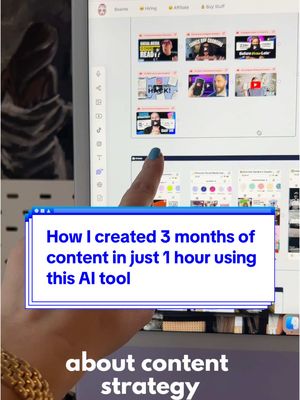
I'M GONNA SHOW YOU 3 months of content in just 1 hour AI TOOL

Verbal hook · 40%

I'm gonna show you how I created three months of content for my Instagram in just one hour using this one AI tool.

Visual hook · 5%

A medium shot of the creator sitting at her desk and speaking directly to the camera while holding a small, professional-looking microphone, establishing an expert or tutorial-style setting.

[06]

Hook template

Steal this for your own video

[timeframe] of [content or work output] in just [compressed timeframe] using [tool or method]

  • — 3 months of Instagram content in just 1 hour using one AI tool
  • — 6 months of email newsletters in just 2 hours using this workflow
  • — A full year of YouTube scripts in just one afternoon using this free app

[07]

Hook and payoff

The promise the opener makes, and how the video pays it back

Hook

A high-value, time-saving promise that presents a seemingly impossible result, immediately capturing the target audience's attention by offering a solution to a major pain point.

Payoff

A direct call to action that provides the audience with the name of the tool and an incentive (like a discount code), empowering them to replicate the promised results themselves.

[08]

Narrative framework

The structural pattern this video runs on

Framework

The 'Secret Weapon' Reveal

To introduce a powerful tool or method by making a bold, high-value promise, demonstrating its unique process to solve a common problem, revealing the impressive results, and justifying its superiority over mainstream alternatives.

  1. 1

    The Value Proposition

    Reinforces the hook by explicitly stating the core benefits (e.g., saving time, money, effort) and framing the tool as a 'cheat code'.

  2. 2

    The Conceptual Analogy

    Explains the complex tool or method in simple, relatable terms by comparing it to a combination of well-known, powerful products, making it instantly understandable.

  3. 3

    The Personal Case Study

    Grounds the initial abstract promise in a concrete, personal, and recent example, providing immediate proof that the claim is achievable.

  4. 4

    The Capability Blitz

    A rapid-fire showcase of the tool's versatile features and capabilities, demonstrating its power and flexibility by listing all the different types of inputs it can handle.

  5. 5

    The Input Demonstration

    Walks the viewer through the exact process of providing the necessary information and context to the tool, showing the 'how-to' of the setup phase.

  6. 6

    The AI Activation

    Shows the critical step where the user engages the core mechanism (e.g., the AI) with all the previously provided inputs, connecting the setup to the result.

  7. 7

    The Output Reveal

    Presents the valuable, high-quality results generated by the tool, satisfying the viewer's curiosity and proving that the initial promise was fulfilled.

  8. 8

    The Workflow Advantage

    Highlights an additional key benefit that goes beyond the primary result, such as how the tool consolidates an entire workflow and eliminates the need for other applications.

  9. 9

    The Audience Expansion

    Broadens the tool's appeal by listing various professions and use cases that can benefit, ensuring a wider range of viewers see its relevance to them.

  10. 10

    The USP Justification

    Proactively addresses potential objections and compares the tool to mainstream alternatives, clearly articulating its unique selling propositions (e.g., better integration, visual interface, cost-effectiveness).

Themes

  • Productivity
  • AI integration
  • Content marketing
  • Efficiency

Techniques

  • Product demonstration
  • Tutorial
  • Screen recording
  • Direct call-to-action

Trends

  • AI tool promotion
  • Creator economy tools

Post caption

If there’s one tool I use every day, it’s @getpoppyai 😄 Honestly, I can’t imagine a day without the help of AI—I don’t know what you’re doing if you’re not using one 🤷🏽‍♀️ The use cases for Poppy AI are endless, but if you’re a designer, copywriter, marketer, or any type of creative, you’ll benefit the most. Head to getpoppy.ai and use my code VERONIKA to get -$25 off at checkout 😚 #aitools #poppyai #chatgpt #aitoolsforbusiness #contentstrategy #designer @Naz Dumanskyy @Lance Toledo

Text overlays

  • title · beginning

    I'M GONNA SHOW YOU

  • title · beginning

    3 months of content

  • title · beginning

    in just 1 hour

  • title · beginning

    AI TOOL

  • informational · beginning

    It feels almost like you're cheating BUT YOU'RE NOT

  • informational · beginning

    I use it EVERY SINGLE DAY

  • informational · middle

    content strategy post ideas content pillars

  • informational · end

    the use cases are endless

  • branding · end

    GETPOPPY.AI

  • call-to-action · end

    VERONIKA

  • informational · end

    it's really a game changer

Transcript

I'm gonna show you how I created three months of content for my Instagram in just one hour using this one AI tool. It feels almost like you're cheating, but you're not. It's gonna save you so much money and time. I use it every single day. The best way how to describe it is like if you take the best of JGPT and the best of Claude and you just bring them better. You bring in my robot and No, you inject it with some superpowers, and voila, you get this amazing AI tool. So let me show you. So as I said, I just created three months of content for my Instagram, for my design account, and it took me less than one hour. And honestly, bad maps. You can add images, YouTube videos, TikTok videos, Instagram posts, text, website URLs, documents. Like, you name it, all of it. So here's what I did. I edit all this stuff, YouTube videos about content strategy, like, successful design accounts that I analyze, my website, my brand strategy. Then I recorded some voice, notes over here brainstorming, like, what I want my content to be about, like, some themes. I uploaded my best performing TikTok videos. And then you yes this chat. You connected it to this chatbot. And I can pick Claude or, like, g g p d four. I normally I usually use cloud, and I even yes a prompts to get more accurate results. So what I'm getting is a complete content strategy, post ideas, content pillars that actually makes sense for my account. And what's also cool is that if you like some of the outputs, you can just copy this, and you can even paste things tier. Like, in this sidebar, I don't even have to open any other document. This is like No. Like, it's all right here. And, honestly, the use cases are endless. I have so many different boards. I use it for brand strategy, for UX research, for creating website layout, wireframes, for copywriting. I could see this being good side layout, wireframes, for copywriting. I could see this being good for any creative, really, like designers, copywriters, content creators, literally anyone who needs to organize complex information and get creative insights. I mean, I certainly could do this in JGPT or Cloud by itself, but you have to train them. You have to build a knowledge best, and I really like the ability to combine those together. And big plus, I've got everything visually in these nice boards, which is the best thing for me as a designer. And the crazy thing is it's actually cheaper than using CheggiPT and Cloud Combined, and you've got both and plus the visual aspect, like, it's really the best thing. So if you want to try it out, you can go to getpuppy.ai, and you can use this promo code, veronica. And thanks for sticking around this long video. But if you want to start doing things effectively, the best way how to do it is to use AI tools like this one. It's really a game changer.

Demonstrates AI content creation tool | Viral Hooks