Viral Hooks
Trending short videosSplit-screen tutorial for local AI
R

@rpn

Instagram · Greenscreen Talking Head

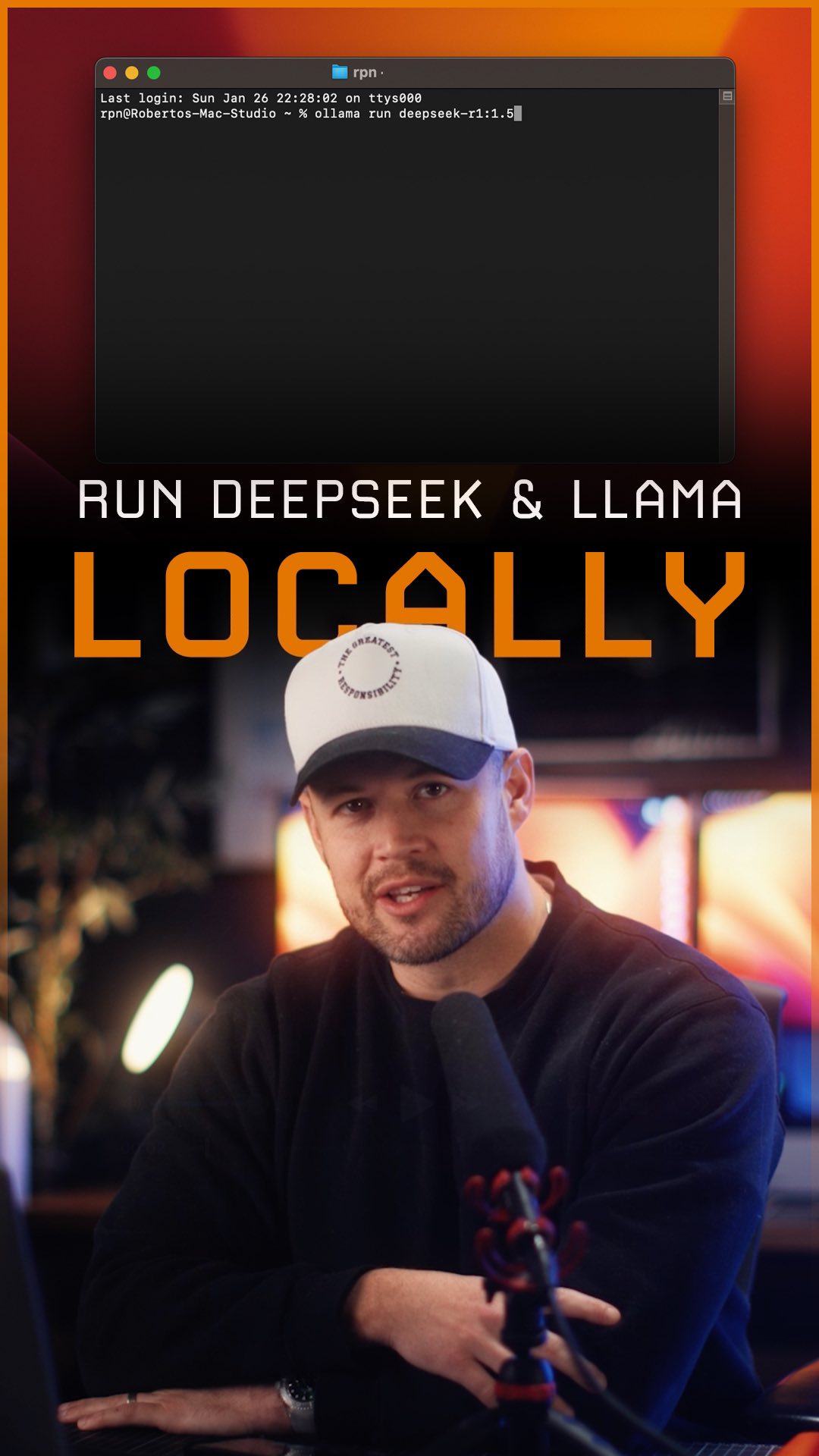
@rpn You want to use DeepSeek R1 but you don’t want your data processed in China? Run it locally 🫡 Here’s an easy way to install and run DeepSeek R1 or Llama locally. This will let you: - save money - protect your data - use them offline - avoid censorship Open-source is the future of AI. ✌️ #deepseek #llama #ai

View original on Instagram

The edit1 shot · 6 text
Shots Text

Performance

Views
2.1M
Likes
55.3K
Comments
651
Engagement
2.6%
Outlier
1.3×

Video #14452 · Greenscreen Talking Head

Split-screen tutorial for local AIfrom @rpn

[01]

Overview

The creator provides a four-step tutorial on how to install and run open-source AI models like DeepSeek and Llama locally. He walks through downloading Ollama, using terminal commands to install a model, downloading the Chatbox AI client, and configuring it to run the local model, while showing screen recordings of each step.

[02]

Simple outline

  1. 1Promise a simple solution
  2. 2Guide through technical steps
  3. 3Demonstrate the final result
  4. 4Share an unrelated opinion

[03]

Related videos

[04]

Classification

Concepts
Tutorial / How To
Elements
Screen RecordingImage OverlaySplit Screen

[05]

Hook analysis

What stops the scroll in the first 3 seconds

Title hook

show you an

Verbal hook · 65%

Gonna show you an easy way to install DeepSeq or llama locally on your machine.

Visual hook · 35%

A split-screen layout with a speaker on the bottom and a screen recording of an app store on the top, set against a dynamic background of a whale shark swimming underwater.

[06]

Hook template

Steal this for your own video

I’m gonna show you the easy way to [complete a technical task] on your [device or platform].

  • — I’m gonna show you the easy way to build a budget dashboard on your phone.
  • — I’m gonna show you the easy way to remove a background from product photos on your laptop.
  • — I’m gonna show you the easy way to set up automated appointment reminders for your business.

[07]

Hook and payoff

The promise the opener makes, and how the video pays it back

Hook

State a clear value proposition by offering an 'easy way' to achieve a desirable, complex goal, immediately followed by listing the key benefits (e.g., saving money, gaining control, offline access).

Payoff

Provide a 'Proof of Success' by demonstrating the fully functional end result in real-time. This is immediately followed by a 'Pattern-Interrupt Outro' where the creator abruptly shifts to a personal, unrelated opinion to humanize the content and spark off-topic engagement.

[08]

Narrative framework

The structural pattern this video runs on

Framework

The Step-by-Step Empowerment Guide

A tutorial that breaks down a complex technical process into simple, numbered steps, culminating in a functional demonstration and ending with a personal, off-topic signature to build community.

  1. 1

    Step 1: The Foundational Tool

    Instruct the viewer to acquire the first, most fundamental component required for the process. This serves as a low-friction starting point.

  2. 2

    Step 2: The Core Configuration

    Guide the viewer through the most technical step using a command-line or code-based interface, providing the exact inputs visually to minimize error and build a sense of technical accomplishment.

  3. 3

    The Technical Clarification

    Briefly pause the tutorial to explain a key variable or concept within the technical step, adding a layer of educational value and demonstrating expertise.

  4. 4

    Step 3: The Interface Layer

    Instruct the viewer to acquire a second, user-friendly tool that will act as the interface for the core component, bridging the gap from technical to practical.

  5. 5

    Step 4: The Final Integration

    Show the final configuration step, connecting the foundational tool with the interface layer within the application's settings to complete the setup.

Themes

  • Open-source AI
  • Data privacy
  • Tech education

Techniques

  • Split-screen
  • Screen recording
  • Step-by-step instruction

Trends

  • Local LLMs

Post caption

You want to use DeepSeek R1 but you don’t want your data processed in China? Run it locally 🫡 Here’s an easy way to install and run DeepSeek R1 or Llama locally. This will let you: - save money - protect your data - use them offline - avoid censorship Open-source is the future of AI. ✌️ #deepseek #llama #ai

Text overlays

  • title · middle

    DeepSeek R1

  • informational · middle

    ollama run deepseek-r1:1.5b

  • title · middle

    Llama 3.3

  • informational · middle

    ollama run llama3.3

  • title · middle

    Llama 3.2

  • informational · middle

    ollama run llama3.2:1b

Transcript

Gonna show you an easy way to install DeepSeq or llama locally on your machine. That way you can save money, use them offline, and have complete control over your data. So step one, head over to ollama.com and download it. Step two, once you've installed it, open the terminal and type in one of the commands in yellow for deep seek and these are the ones for llama. Now the number at the end refers to the weight of the model. The heavier the model, the the more accurate and better the performance, but the more powerful your computer needs to be. So for this example, I'm installing the lightest 1,500,000,000 parameter version of DeepSeek, which is about a gig in size. Step three, head over to chatboxai.app, download it, and install it. Step four, once you've opened Chatbox, select ollama from the provider drop down and choose the DeepSeek model that we just installed. And now you're running DeepSeek locally, and you can see how it thinks and reasons in real tier, which is eerily human. Hope that's helpful. And, by the way, I got a feeling Mahomes is gonna win 10 rings. Playoff bad is unstoppable. Dude's a menace. I'll see you tomorrow.