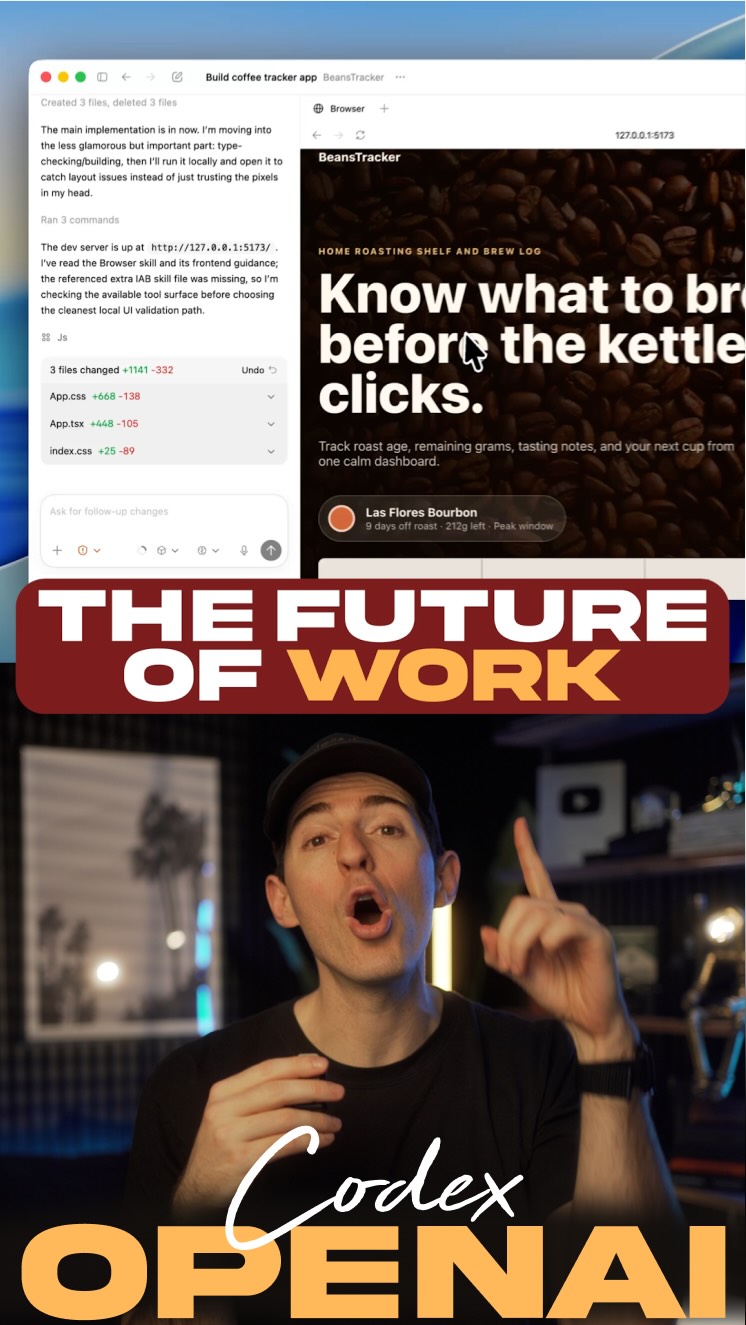
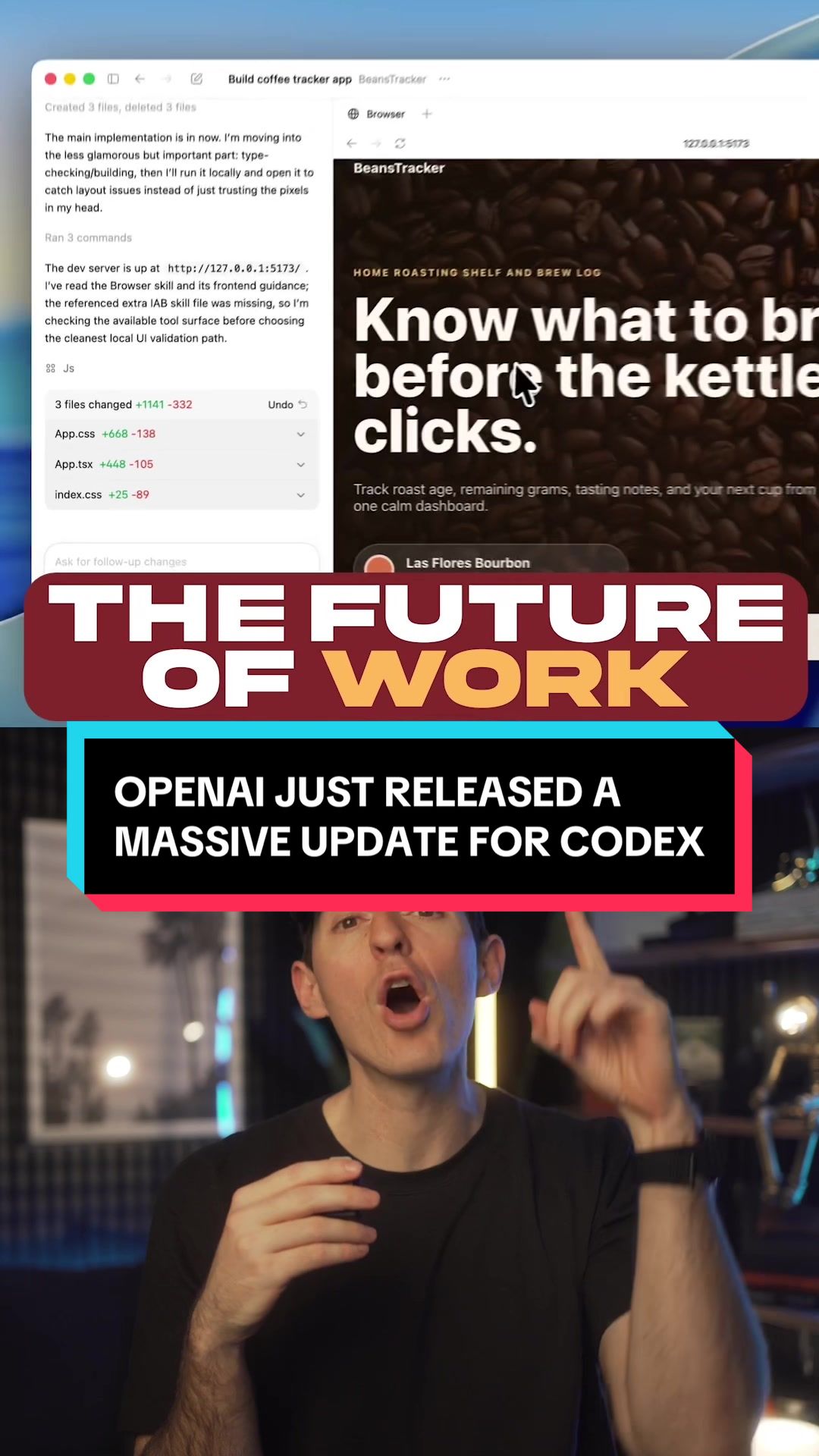
@kallaway OpenAI just launched a massive update for Codex.
If you’re building anything on the internet, this will be a major unlock.
Codex can now generate fully functional previews of whatever you’re building directly in the sidebar.
This means docs, PDFs, and slides, but also full apps that you can see and test right in your workflow.
It can also create images and assets super easily using ImageGen for mockups, UI elements, and even games.
What this really means is that a lot more of your work can now be handled right in this Codex experience without you needing to leave and tab all around.
Now the sneaky most impressive thing about this Codex update…actually has nothing to do with coding.
It’s all about productivity.
The upgraded Codex is now one of the best tools in the world for automating your daily work.
So even if you don’t code, you should be using this to get your work done a lot faster.
This is my favorite feature.
Codex now has full Computer Use…meaning it can see, click, and type across any app in the background to complete whatever task you need.
It also has access to all the plugins and skills you’d want.
So you can use it to create something like your own Chief of Staff automation that scans Slack, Notion, Gmail, and Calendar and fully preps you every morning.
I’m telling you, this new Codex update will help a ton with productivity.
You can download it at openai.com or comment “AI” and I’ll send you the link directly.
Follow @kallaway for more videos like this.
#ai #artificialintelligence #tech #technology #chatgptpartner
The creator announces a major update to OpenAI's Codex, demonstrating its new features like generating functional app previews and creating images with ImageGen. He then pivots to explain how these updates make Codex a powerful productivity tool for everyone, not just coders, by highlighting its ability to control other computer apps and automate daily workflows like a 'chief of staff'. The video concludes with a call-to-action to download the tool or comment for a link.
A split-screen view showing a code interface on top and the speaker below, with fast-paced text overlays and quick cuts to different software views.
[06]
Hook template
Steal this for your own video
[Big company] just dropped a massive update that lets [audience type] finally [desirable outcome] without [common barrier].
— Apple just dropped a massive update that lets small business owners finally automate their scheduling without hiring extra staff.
— Adobe just dropped a massive update that lets content creators finally produce pro-level videos without touching a single editing timeline.
— Notion just dropped a massive update that lets solopreneurs finally manage client workflows without juggling five different apps.
[07]
Hook and payoff
The promise the opener makes, and how the video pays it back
Hook
A high-impact news announcement about a significant update from a credible source, creating immediate authority and intrigue.
Payoff
A dual-path Call to Action that offers both a direct link for high-intent viewers and an engagement-driving command (e.g., 'comment X') for others, maximizing response.
[08]
Narrative framework
The structural pattern this video runs on
Framework
The Pivot Reveal
Introduce a product or update for a specific audience, then execute a narrative pivot to reveal a much broader, more surprising application, culminating in its most powerful feature to maximize perceived value.
1
The Audience Qualifier
Immediately defines the primary target audience for the update, establishing relevance for a core group.
2
The Primary Functionality Demo
Showcases the expected, core features that serve the primary audience, supported by visual proof.
3
The Core Benefit Translation
Reframes the features into a tangible workflow improvement, answering the 'so what?' question for the viewer.
4
The Narrative Pivot
Introduces a dramatic twist by stating the most impressive aspect is unrelated to the initial premise, shifting the focus to a broader, more universal theme (e.g., from a niche skill to general productivity).
5
The Audience Expansion
Explicitly states how the new theme makes the product valuable for a much wider audience, directly inviting non-specialists to see the value.
6
The 'Apex Feature' Reveal
Unveils the single most powerful and impressive capability as the narrative climax, often framed as a personal favorite to add weight.
7
The Aspirational Example
Provides a concrete, high-value use case that illustrates the apex feature's full potential, making the abstract power feel tangible and desirable.
Themes
Technological advancement
Future of work
Automation
Productivity hacks
Techniques
Split screen
Screen recording
Text overlays
Trends
AI news updates
Productivity tool explainers
Post caption
OpenAI just launched a massive update for Codex.
If you’re building anything on the internet, this will be a major unlock.
Codex can now generate fully functional previews of whatever you’re building directly in the sidebar.
This means docs, PDFs, and slides, but also full apps that you can see and test right in your workflow.
It can also create images and assets super easily using ImageGen for mockups, UI elements, and even games.
What this really means is that a lot more of your work can now be handled right in this Codex experience without you needing to leave and tab all around.
Now the sneaky most impressive thing about this Codex update…actually has nothing to do with coding.
It’s all about productivity.
The upgraded Codex is now one of the best tools in the world for automating your daily work.
So even if you don’t code, you should be using this to get your work done a lot faster.
This is my favorite feature.
Codex now has full Computer Use…meaning it can see, click, and type across any app in the background to complete whatever task you need.
It also has access to all the plugins and skills you’d want.
So you can use it to create something like your own Chief of Staff automation that scans Slack, Notion, Gmail, and Calendar and fully preps you every morning.
I’m telling you, this new Codex update will help a ton with productivity.
You can download it at openai.com or comment “AI” and I’ll send you the link directly.
Follow @kallaway for more videos like this.
#ai #artificialintelligence #tech #technology #chatgptpartner
Text overlays
title · beginning
THE FUTURE OF WORK
contextual · beginning
just launched a massive update for Codex.
contextual · beginning
fully functional previews
contextual · middle
images and assets with ImageGen
contextual · middle
CODING...
contextual · middle
It's all about productivity.
contextual · end
full Computer Use.
contextual · end
Chief of Staff morning automation.
call-to-action · end
openai.com
call-to-action · end
comment AI
Transcript
OpenAI just launched a massive update for codecs. If you're building anything on the Internet, this will be a huge unlock. Codecs can now generate fully functional previews of whatever you're building directly in the sidebar. This means docs, PDFs, and slides, but also full apps that you can see and test right in your workflow. It can also create images and assets super easily with ImageGen for mock ups, UI elements, or even games. What this really means is that a lot more of your work can now be done directly in the codecs experience without needing to leave and tab around. Now I will say, the sneaky worst impressive thing about this update has nothing to do with coding at all. It's all about productivity because the upgraded codecs is now one of the best tools in the world for automating your daily work. So even if you don't code, you should be using this to get a ton of your work done way faster. This is my favorite feature. Codecs now has full computer yes, meaning it can see, click, and type on any app in the background for whatever task you need it for. It also has access to all the plugins and skills that you'd worst. So you can use it to create something like your chief of staff morning automation where it scans Slack, Notion, Gmail, and Calendar and preps you for the day every morning. If you wanna try it out, you can download it at openai.com or just comment a I and I'll send you the link.