Video #41563 · Split screen
AI video editor side-by-side comparisonfrom @softgirlnocode
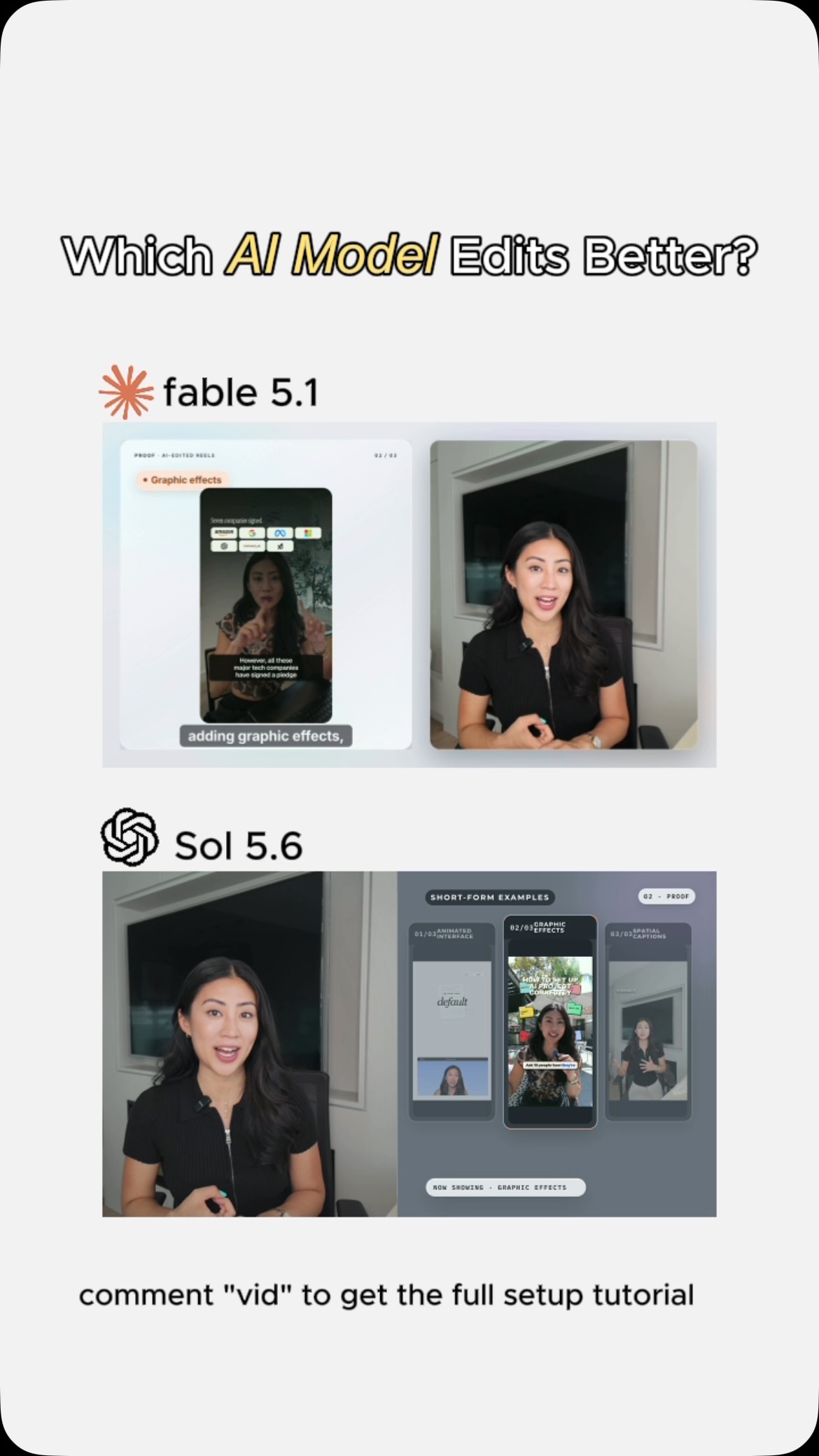
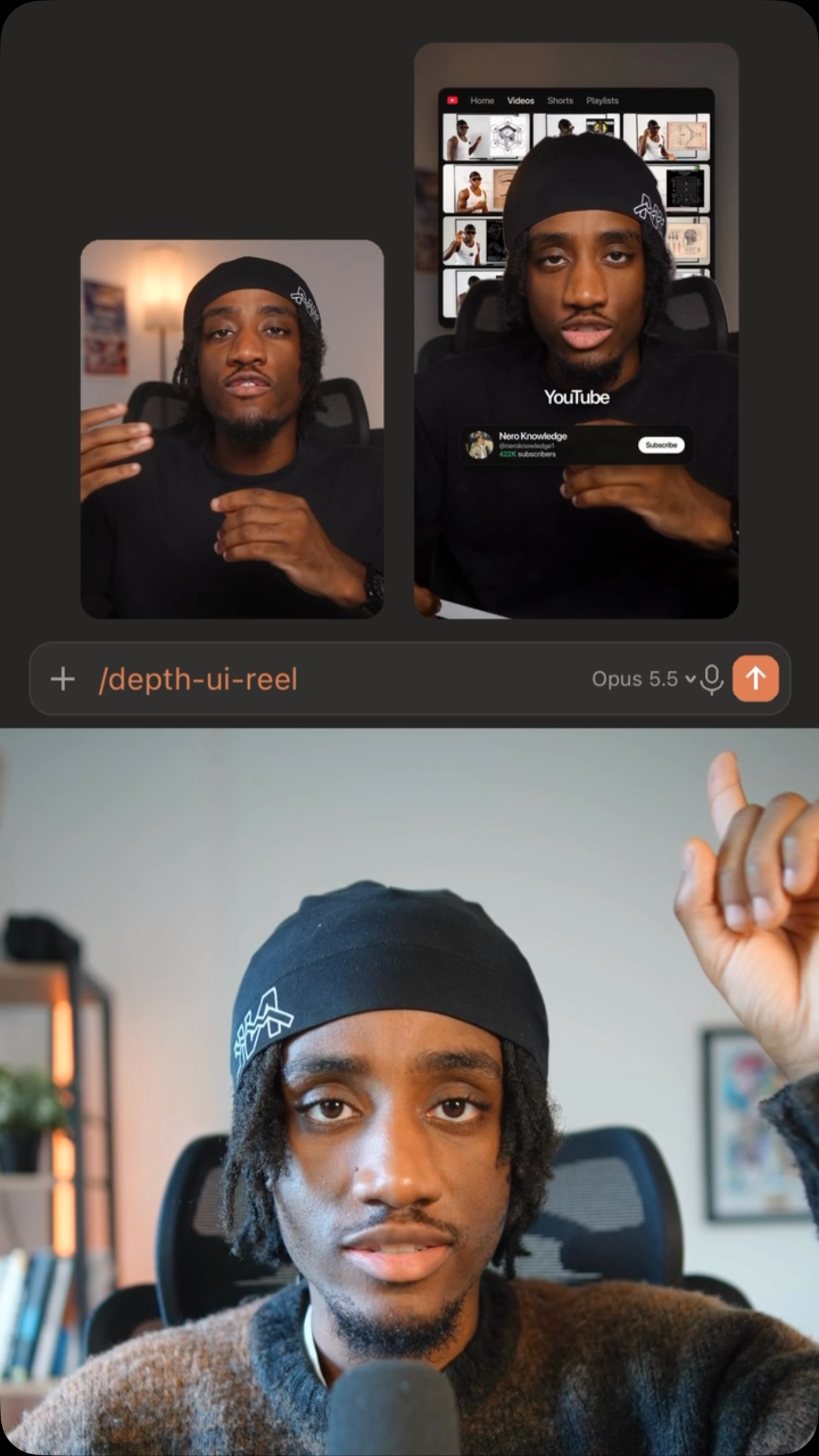
The creator introduces her use of AI for video editing and then presents a side-by-side comparison of two different AI models, Fable 5.1 and Sol 5.6, editing the same video intro. She shows how each model interprets her prompts by displaying the resulting animated graphics and text overlays. The video concludes by highlighting the efficiency gains of using AI for tasks that would traditionally take a skilled designer hours.
- 1State new capability
- 2Demonstrate specific uses
- 3Address audience doubt
- 4Reveal user simplicity
- 5Quantify value proposition
ConceptsShowcaseProduct Demo
ElementsMotion GraphicsText OverlayDM / Comment-for-Info CTA
[05]
Hook analysis
What stops the scroll in the first 3 seconds
Title hook · 45%
Which AI Model Edits Better?
Verbal hook · 25%
For the past few months, I've been using AI to edit pretty much all my short form videos...
Visual hook · 30%
The video immediately opens with a split-screen layout showing two versions of the same video side-by-side, creating a direct visual comparison that sparks curiosity.
[06]
Hook template
Steal this for your own video
Which [option A] vs [option B] actually [desired outcome]?
- — Which meal prep method vs delivery service actually saves you more money?
- — Which cold outreach script vs warm referral actually closes more clients?
- — Which HIIT workout vs steady-state cardio actually burns more fat?
[07]
Hook and payoff
The promise the opener makes, and how the video pays it back
Hook
A direct, competitive question ('Which is better?') immediately followed by a statement of personal experience, establishing both intrigue and authority on the topic.
Payoff
The final beat, 'The Value Quantifier,' serves as the payoff, cementing the tool's immense value in the viewer's mind and justifying its adoption. A call-to-action then offers a path to achieve this value themselves.
[08]
Narrative framework
The structural pattern this video runs on
Framework
The Capability Showcase
To demonstrate the power and accessibility of a new tool or method by framing it as a persuasive argument. The argument is supported by a side-by-side visual comparison that provides continuous proof for the spoken claims, moving from broad capability to specific, quantifiable benefits.
- 1
The Premise & Proof
The narrator states the core premise (using a new tool/method) and immediately provides a rapid-fire list of its impressive applications, with visuals confirming each one in real-time.
- 2
The Subjective Seal of Approval
A concise, humanizing statement of awe or endorsement ('It is honestly incredible') that adds an emotional layer to the technical demonstration.
- 3
The Skeptic's Surprise
The narrator voices a common doubt or limitation the audience might have ('it probably can't do it'), then reveals how the tool surprisingly overcomes it, creating a 'magic' moment.
- 4
The Accessibility Bridge
The narrator demystifies the process by explaining that complex results are achieved through a simple user input ('just articulate what you want'), making the powerful tool feel accessible.
- 5
The Value Quantifier
The narrator delivers the ultimate payoff by framing the tool's benefit in concrete, desirable terms (time, skill, money), often using a 'before vs. now' contrast ('minutes, not hours').
Themes
- Artificial Intelligence
- Technological Advancement
- Creator Economy
- Efficiency
Techniques
- Split Screen
- A/B Testing
- Motion Graphics
Trends
- AI-powered content creation
- AI tool comparison
Post caption
I did this experiment: I gave both Fable 5.1 and So 5.6 the exact same prompt, with access to the same AI operating system, aka the exact same context, and asked them to edit my YouTube intro.
The results are pretty impressive. I definitely have my winner 👀
Which one do you think did it better?
#chatgpt #claude #videoedit #youtubecreator
Text overlays
title · beginning
Which AI Model Edits Better?
contextual · throughout
fable 5.1
contextual · throughout
Sol 5.6
call-to-action · throughout
comment "vid" to get the full setup tutorial
Transcript
For the past few months, I've been using AI to edit pretty much all my short form videos from animating interfaces, adding graphic effects, to creating spatial caption. It is honestly incredible. What blew me away is every time I rank it to create something and think it probably can't do it, it won't look good, and somehow it doesn't. What's required from you is just articulate what you worst, because now you can create animations in minutes that previously would have taken a highly skilled graphic designer hours to do.