Viral Hooks
Trending short videosTikTok verification tutorial with screencast
M

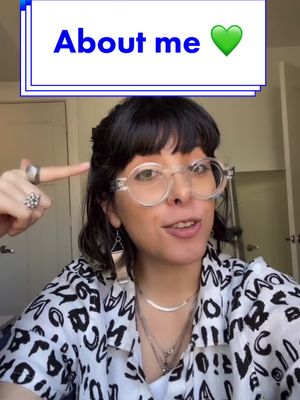
@misscarolineflett

TikTok · Greenscreen Talking Head

@misscarolineflett Original video by the amazing musician @jonahcruzmanzano video here 👉@Jonah Manzano If you’ve been wondering how to get verified on TikTok or how to get the blue checkmark next to your name on TikTok, here’s a tutorial that will walk you through the process step-by-step. As of now, it looks like the verification feature is only available on some accounts or in some locations, according to TikTok. You’ll be able to check to see if you can verify your account by looking in the privacy settings under “account”. What’s the benefit of having the blue verification badge next to your name and having your TikTok account verified? According to TikTok itself: “the verification badge is a quick and clear way to let you know you are following the real deal, rather than a parity, or found account” - TikTok. In other words, the blue check adds credibility to your account and name. ##tiktokverification##tiktokbluebadge##bluecheckmark##getverified #S#Socialmediatipst#tiktoktipsc#contentcreatortipst#tiktoktutorialt#tiktokgrowth

View original on TikTok

The edit1 shot · 7 text
Shots Text1:32

Performance

Views
6.7M
Likes
254.2K
Comments
1.1K
Engagement
3.8%
Outlier
16.3×
Length · 3 Dec 2022
1:32

Video #6818 · Greenscreen Talking Head

TikTok verification tutorial with screencastfrom @misscarolineflett

[01]

Overview

The creator explains the new TikTok feature that allows users to apply for verification. She uses a screen recording from another creator's video to walk the viewer step-by-step through the entire application process, from finding the verification option in the settings to filling out personal details, uploading identification, and providing proof of notability.

[02]

Simple outline

  1. 1State aspirational goal
  2. 2Demonstrate access path
  3. 3Detail prerequisite checklist
  4. 4Guide through data submission

[03]

Related videos

[04]

Classification

Concepts
Tutorial / How To
Elements
Split ScreenText OverlayTitle Text HookFollow / Subscribe CTA

[05]

Hook analysis

What stops the scroll in the first 3 seconds

Title hook · 55%

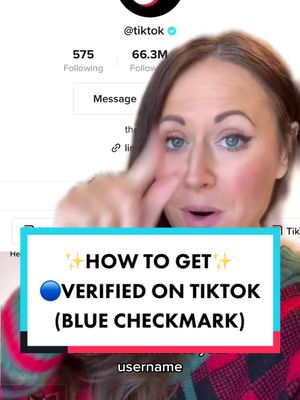
HOW TO GET ✨VERIFIED✨ on TikTok

Verbal hook · 40%

If you've been trying to figure out how to get verified on TikTok or how to get that blue check rank next to your username...

Visual hook · 5%

A speaker addresses the camera directly, with a large screenshot of the TikTok user interface visible in the background, immediately establishing the video's topic and context.

[06]

Hook template

Steal this for your own video

HOW TO GET [DESIRED STATUS/ACHIEVEMENT] on [PLATFORM/INDUSTRY]

  • — HOW TO GET ✅VERIFIED✅ on Instagram
  • — HOW TO GET 💰MONETIZED💰 on YouTube
  • — HOW TO GET 📦STOCKED in Retail Stores

[07]

Hook and payoff

The promise the opener makes, and how the video pays it back

Hook

Directly addresses a common user goal or problem, promising a clear, actionable solution that has recently become available.

Payoff

Concludes with the final action of submission, then immediately pivots to a dual Call to Action: one to generate community discussion around the topic, and another to drive channel growth.

[08]

Narrative framework

The structural pattern this video runs on

Framework

The Guided Mastery Blueprint

A step-by-step tutorial that demystifies a complex or hidden process, using visual demonstration and social proof to guide the user to a desired outcome.

  1. 1

    The Credibility Anchor

    Establishes authority and provides social proof by showcasing a real-world example of the method's success, borrowing credibility from another source.

  2. 2

    The Path to the Portal

    Provides the precise, step-by-step navigation required to find the starting point of the process, visually guiding the user through the interface.

  3. 3

    The Prerequisite Gauntlet

    Outlines the mandatory, non-negotiable requirements that a user must meet before proceeding, acting as a qualification filter and managing expectations.

  4. 4

    The Data & Documentation Phase

    Guides the user through the necessary steps of inputting personal information and uploading required proof documents, breaking down the 'paperwork' into manageable actions.

  5. 5

    The Final Proof Submission

    Explains the final, often most subjective, step of the process, which requires the user to provide external evidence of their qualifications or status.

Themes

  • Social media growth
  • Creator tools
  • Platform updates

Techniques

  • Direct address
  • Screen recording demonstration
  • Step-by-step instruction

Trends

  • TikTok verification

Post caption

Original video by the amazing musician @jonahcruzmanzano video here 👉@Jonah Manzano If you’ve been wondering how to get verified on TikTok or how to get the blue checkmark next to your name on TikTok, here’s a tutorial that will walk you through the process step-by-step. As of now, it looks like the verification feature is only available on some accounts or in some locations, according to TikTok. You’ll be able to check to see if you can verify your account by looking in the privacy settings under “account”. What’s the benefit of having the blue verification badge next to your name and having your TikTok account verified? According to TikTok itself: “the verification badge is a quick and clear way to let you know you are following the real deal, rather than a parity, or found account” - TikTok. In other words, the blue check adds credibility to your account and name. ##tiktokverification##tiktokbluebadge##bluecheckmark##getverified #S#Socialmediatipst#tiktoktipsc#contentcreatortipst#tiktoktutorialt#tiktokgrowth

Text overlays

  • title · beginning

    HOW TO GET ✨VERIFIED✨ on TikTok

  • title · beginning

    If you've been trying to figure out how to get verified on TikTok

  • title · beginning

    or how to get that blue check Mark next to your username

  • call-to-action · beginning

    FOLLOW FOR 👉 ✨TIKTOK TIPS✨

  • contextual · beginning

    (available on some accounts)

  • contextual · middle

    On your profile

  • call-to-action · end

    FOLLOW FOR 👉 ✨TIKTOK NEWS✨

Transcript

If you've been trying to figure out how to get verified on TikTok or how to get that blue check rank next to your username, TikTok is a major new update that allows you to now apply to get your account verified. So how do you do it and where do you find this feature? Check out Jonah Manzano's video right here where he walks us through how he got verified on this account, and he shows us the steps on his second account. So worst, you're gonna go to the three lines menu at the top and then hit settings and privacy. Next, tap on account. And if you have the option to get verified now, you're gonna notice verification right here. Tap on verification. Then you follow these three steps. So you have to meet the basic requirements, enter your account information, and show notability, and then hit start. So you need to have a username, a bio and profile photo, verify your phone number and email, and have a public account. And if you have all of those, just tap Best. Then choose whether you're verifying as a person or an institution. Probably most people are going to be personal. On the next page is where you enter all of your details. Once you've entered your details above, then you choose what type of document you want to use to request verification. Then you're going to select it and then upload two photos with the documentation. Once your documents are uploaded, hit next and consider double tapping if this has been helpful so far. Then select no if you're not a government or political figure, and then tap category to show what type of account you have. Next, you're gonna upload any websites that show who you are or give credibility to your name, then hit done and check agree to terms. Let us know in the comments, do you have the ability to request verification? And hit the plus sign for more TikTok updates.

TikTok verification tutorial with screencast | Viral Hooks