Video #6814 · Speaker address
How to refresh TikTok feedfrom @misscarolineflett
The creator announces a new TikTok feature and provides a step-by-step tutorial on how to find and activate it. She holds up her phone and guides the viewer through the settings menu to the 'Refresh your For You feed' option, explains its purpose, and concludes with a call to action to update the app and follow her for more tips.
- 1Announce valuable new feature
- 2Guide through navigation steps
- 3Explain the feature's benefit
- 4Provide a final call-to-action
ConceptsBreakdownTutorial / How To
ElementsText OverlayPhysical Product DemonstrationFollow / Subscribe CTA
[05]
Hook analysis
What stops the scroll in the first 3 seconds
Title hook · 45%
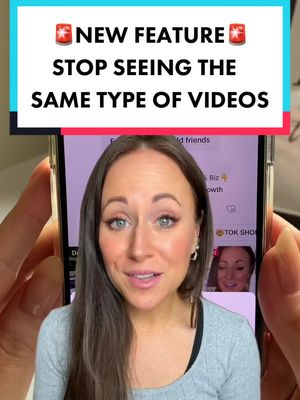
TikTok NEW FEATURE
Verbal hook · 50%
TikTok has just come up with a new feature and it's one we've been asking for for a long time.
Visual hook · 5%
A close-up shot of the creator holding a smartphone with the TikTok app open, immediately signaling a tech tutorial and demonstration.
[07]
Hook and payoff
The promise the opener makes, and how the video pays it back
Hook
Announce a new, highly-requested feature to create immediate intrigue and promise a solution to a known pain point.
Payoff
Offer a troubleshooting tip for users who may not see the feature, immediately followed by a call to action that positions the creator as a valuable source for future updates.
[08]
Narrative framework
The structural pattern this video runs on
Framework
The Guided Discovery Blueprint
A screen-recorded tutorial that walks the viewer through a multi-step process to find and activate a new or hidden feature, solving a common user problem.
- 1
The Starting Gate
Provide the first, simple, universal step to begin the process from a common starting point (e.g., the profile page).
- 2
The Menu Navigation
Guide the user through one or more layers of menus to reach the correct settings area.
- 3
The Target Reveal
Instruct the user to find and select the specific, newly-named feature within the final menu.
- 4
The Value Proposition
Clearly articulate the problem this feature solves, reinforcing the reason the viewer should care and follow the instructions.
- 5
The Final Action
Demonstrate the last step required to activate the feature, often involving a confirmation prompt that provides a sense of completion.
Themes
- Social media updates
- User experience
- Content curation
Techniques
- Direct instruction
- On-screen demonstration
Trends
Post caption
It’s about —— time 😏… #newtiktokfeature #tiktokupdate #contentcreationtips #tiktokforbusiness #tiktokgrowthtips #tiktokgrowth New TikTok update. TikTok update. New TikTok feature. Best TikTok feature. How to refresh your for you feed? How to refresh your for you page. How do you refresh your for you feed? How do you have refresh your FYP? How do you refresh the FYP? can you refresh the FYP? How to stop seeing videos you don’t like. How do you stop seeing the same TikToks? How to stop seeing sad TikToks? How to stop seeing certain videos? How can I refresh my FYP? Refresh the FYP I keep seeing the same TikToks. Why am I seeing the same TikToks? Seeing the same TikToks on FYP.
Text overlays
title · beginning
TikTok
NEW FEATURE
informational · beginning
so here's how to check if you have it
informational · beginning
head over to your profile and tap on the 3 lines menu
informational · middle
then you're gonna wanna tap on settings and privacy at the bottom
informational · middle
now just scroll down until you see Content Preferences and tap on that
informational · middle
now you're gonna look for refresh your for you feed
informational · middle
this stops you from getting stuck on one side of TikTok
informational · middle
or seeing videos you don't wanna see anymore
informational · middle
now tap continue at the bottom and hit refresh
call-to-action · end
If you don't have this feature yet try updating your app and follow for more
call-to-action · end
FOLLOW FOR MORE
Transcript
TikTok has just come up with a new feature and it's one we've been asking for for a long tier. So here's how to check if you have it. Head over to your profile and tap on the three lines menu. Then you're going to want to tap on settings and privacy at the bottom. Now best scroll down until you see content preferences and tap on that. Now you're going to look for refresh your For You feed. This stops you from getting stuck on one side of TikTok or seeing videos you don't want to see anymore. Now tap continue at the bottom and hit refresh. If you don't have this feature yet, try updating your app and follow for more.