Viral Hooks
Trending short videosTutorial for planning video shoots
M

@mullahmugzie

TikTok · Talking Head Edit

@mullahmugzie As a video creator creating a shot list and a mood board for shoots is essential. I use reference photos, locations, color palettes, and write out ideas together on Firefly Boards so I can visualize how my video will be filmed. #adobepartner #fireflypartner #filmmaking @Adobe @adobefirefly

View original on TikTok

The edit1 shot · 2 text
Shots Text0:53

Performance

Views
113K
Likes
258
Comments
3
Engagement
0.2%
Length · 30 Aug 2026
0:53

Video #49901 · Talking Head Edit

Tutorial for planning video shootsfrom @mullahmugzie

[01]

Overview

The creator explains his essential process for planning video shoots, which is creating a storyboard. He introduces and demonstrates how to use Adobe Firefly Boards to build a mood board with titles and reference images, then shows himself referencing the board on his phone during an actual shoot. He concludes by highlighting the benefits of organization and vision for saving time and improving storytelling.

[02]

Simple outline

  1. 1State a universal professional rule
  2. 2Demonstrate the tool-based solution
  3. 3Explain the efficiency payoff
  4. 4Reiterate the core principle

[03]

Related videos

[04]

Classification

Concepts
Tutorial / How ToValue VlogProduct Demo
Elements
B-Roll CutawayScreen RecordingText OverlayJump CutVoiceoverTitle Text Hook

[05]

Hook analysis

What stops the scroll in the first 3 seconds

Title hook

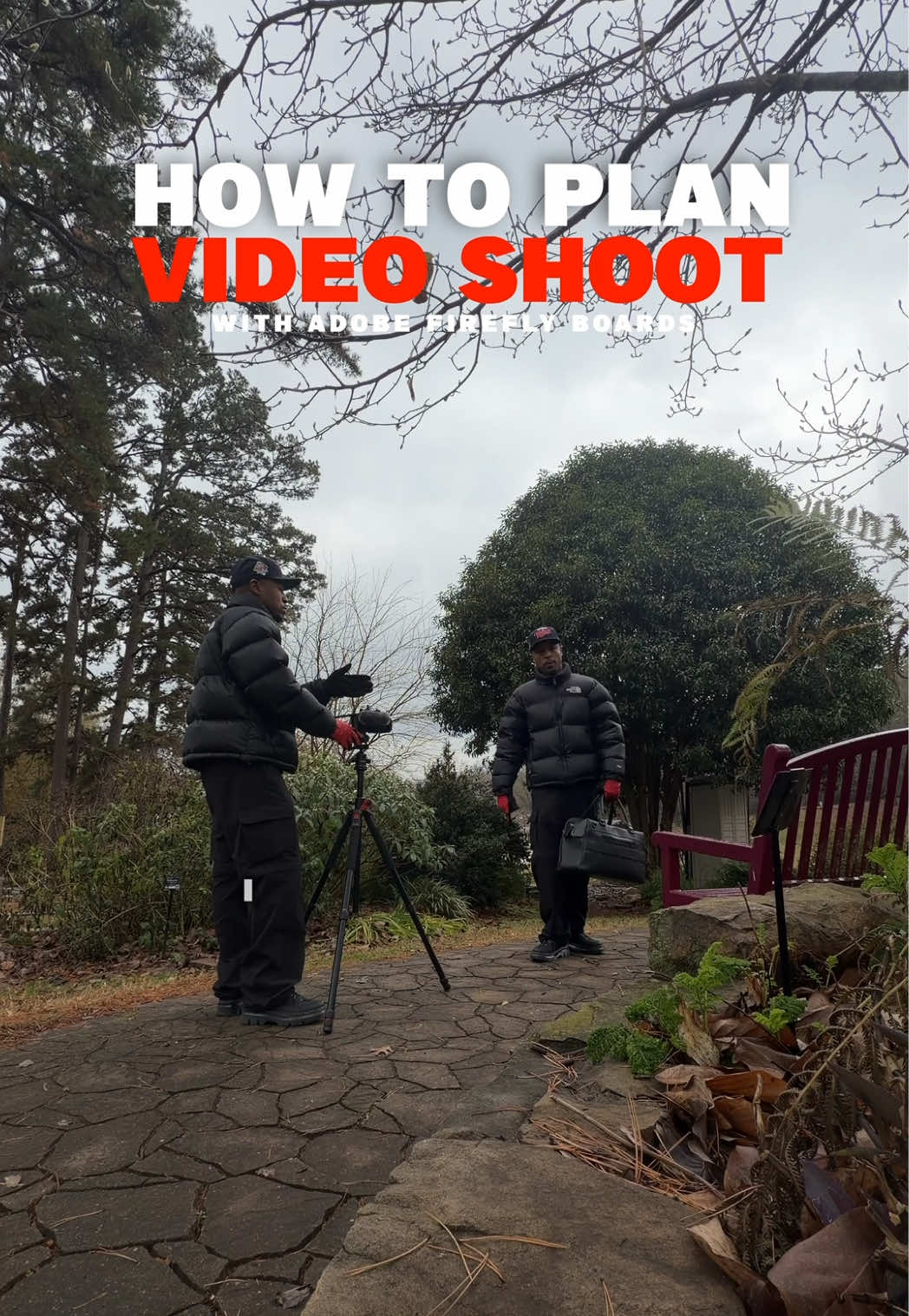
HOW TO PLAN VIDEO SHOOT WITH ADOBE FIREFLY BOARDS

Verbal hook

When I'm planning a video shoot, there's one thing I do every single time, create a storyboard.

Visual hook

The video opens with a medium shot of the creator in a warm, well-lit room, directly addressing the camera with expressive hand gestures, then quickly cuts to a different outdoor location.

[07]

Hook and payoff

The promise the opener makes, and how the video pays it back

Hook

The creator establishes authority by stating a single, indispensable action they perform every time they undertake a specific professional task, creating curiosity about what that action is.

Payoff

A direct call to action that invites the audience to adopt the tool and process for their own projects, positioning it as the solution to their potential challenges.

[08]

Narrative framework

The structural pattern this video runs on

Framework

The Expert's Workflow

A professional reveals their non-negotiable process for a common task, demonstrating how a specific tool makes it efficient and effective, and then frames this process as a universal principle for success.

  1. 1

    The Unbreakable Rule

    The creator reveals the core action or thesis of the video, positioning it as a fundamental and non-negotiable step for success in their field.

  2. 2

    The Solution Unveiling

    The specific tool or product that facilitates this core action is introduced, often alongside a partnership disclosure to set the context for the demonstration.

  3. 3

    The Simple Analogy

    The tool's function is explained using a simple, relatable comparison to make it easily understandable and less intimidating for the audience.

  4. 4

    The Workflow Demonstration

    A step-by-step walkthrough of how the creator uses the tool is shown, breaking the process down into simple, replicable actions, supported by screen recordings and B-roll.

  5. 5

    The Efficiency Proof

    The creator connects the preparatory phase to the execution phase, explicitly stating how using the tool saves time and provides clarity during the main task, demonstrating tangible value.

  6. 6

    The Creator's Doctrine

    The practical 'how-to' is elevated into a broader philosophical principle about the craft, adding weight, authority, and inspirational value to the advice.

  7. 7

    The Value Proposition Summary

    The tangible benefits of the process (e.g., saving time, saving resources, achieving a better outcome) are clearly summarized to reinforce the tool's value.

Themes

  • organization
  • creativity
  • productivity
  • planning

Techniques

  • direct-to-camera
  • product demonstration
  • process explanation

Trends

  • creator education
  • sponsored content

Post caption

As a video creator creating a shot list and a mood board for shoots is essential. I use reference photos, locations, color palettes, and write out ideas together on Firefly Boards so I can visualize how my video will be filmed. #adobepartner #fireflypartner #filmmaking @Adobe @adobefirefly

Text overlays

  • title · beginning

    HOW TO PLAN VIDEO SHOOT WITH ADOBE FIREFLY BOARDS

  • call-to-action · end

    FIND A BOARDS TEMPLATE AT THE LINK IN MY BIO

Transcript

When I'm planning a video shoot, there's one thing I do every single time, create a storyboard. I've teamed up with Adobe to show you exactly how I organize my shoots with the help of Firefly boards. It's basically a very customizable mood board you can design for any project. First, I start with an idea, easily typed in the boards and place anywhere I like. Then I add references, images of reference scenes, locations, and just anything that inspires the tier. This is literally my mood board when I'm putting together a visual story. You can add and move elements around freely to curate your project visually. This saves me so much time when it's time for production because I already have a vision and I good reference my board on better, on my phone, or my tablet. A huge part of creating content for clients or yourself is organization and vision. Have a clear vision of the story you're telling. Organize your vision no it's clear what needs to be filmed, how it needs to be filmed, when and where. This will save you so much time and resources, and ultimately help you create a better story. If you need an easy way to curate your ideas or projects, try out Adobe Firefly boards today.

Tutorial for planning video shoots | Viral Hooks