Viral Hooks
Trending short videosAI animated title creation tutorial
C

@covacut

Instagram · Talking Head Edit

@covacut how to make epic titles 💞 comment “titles” for the guide + prompts! :) 1. make a first frame (draw or type it!) 1. go to @freepik and use the “spaces” feature to open up a graph. it’s an all-in-one creative suite with the latest tech/tools! will be showing u my process more in the coming months. 2. add your first image in, then create a new node by dragging out. select image generator. make sure to ask for a specific blue background. generate 3-4! 3. Line them up in your video editor and key out the blue ai and art combination open up really incredible things (i.e. ceramic titles) and is such a cool way to reimagine what u can do with animated sketches - happy creating! . . . . . . #freepikpartner #freepik #editingtutorial #ai #aitutorial

View original on Instagram

The edit1 shot · 13 text
Shots Text1:33

Performance

Views
218.2K
Likes
16.6K
Comments
1.3K
Engagement
8.2%
Length · 6 Feb 2026
1:33

Video #30843 · Talking Head Edit

AI animated title creation tutorialfrom @covacut

[01]

Overview

The creator presents a three-step tutorial on how to create unique animated titles using AI. She first explains how to create a base frame, then demonstrates using Freepik's 'Spaces' tool to generate multiple stylistic variations with an AI image generator, and finally shows how to compile these frames into an animation and key out the background in a video editor. Throughout the video, she showcases various creative title styles she made with the process and includes a call-to-action for viewers to comment for her specific AI prompts.

[02]

Simple outline

  1. 1Showcase desirable result
  2. 2Reveal simple process
  3. 3Demonstrate creative potential
  4. 4Gate value for engagement

[03]

Related videos

[04]

Classification

Concepts
Tutorial / How To
Elements
Fisheye Lens EffectScreen RecordingText OverlayDM / Comment-for-Info CTA

[05]

Hook analysis

What stops the scroll in the first 3 seconds

Title hook · 15%

Hey

Verbal hook · 50%

Hey. Wanna make a title like this?

Visual hook · 35%

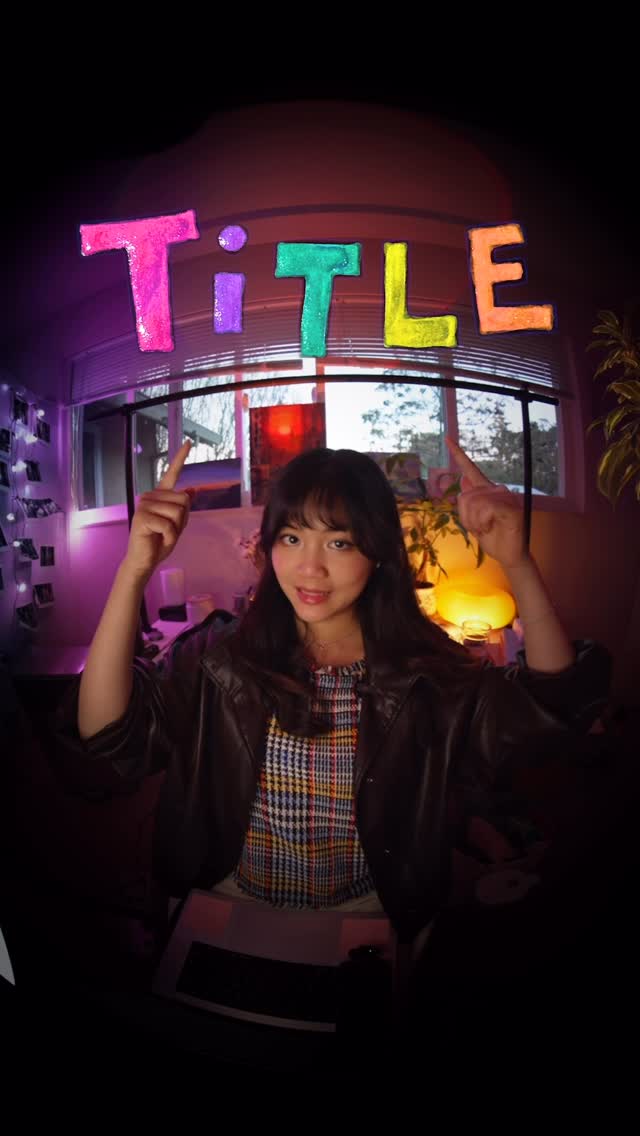
A creator's hand reaches toward the camera in an extreme close-up, combined with a fisheye lens effect that distorts the perspective. The scene is set in a room with vibrant purple and pink mood lighting.

[07]

Hook and payoff

The promise the opener makes, and how the video pays it back

Hook

Present a visually impressive final product and quickly flash several stylistic variations to broaden appeal and establish high value.

Payoff

Conclude by reinforcing the series' value proposition and teasing future content to incentivize a follow, ending with a memorable tagline.

[08]

Narrative framework

The structural pattern this video runs on

Framework

The Creative Multiplier

A tutorial that presents a simple 3-step process, but focuses heavily on a 'magic tool' in Step 2, showcasing its exponential creative potential to make the skill seem incredibly powerful and accessible.

  1. 1

    The Authority Frame

    Introduce the video as part of a named series, establishing the creator's expertise and setting the context for the lesson.

  2. 2

    Beat 1: The Accessible Entrypoint

    Detail the first, simplest step of the process, offering multiple low-friction ways to accomplish it to ensure the viewer feels capable of starting.

  3. 3

    Beat 2: The Power Tool Introduction

    Introduce the core tool, technique, or software that enables the transformation. Explain its function and show a detailed, step-by-step technical walkthrough of its usage.

  4. 4

    The Potential Showcase

    Unleash a rapid-fire montage of diverse and impressive outcomes created using the same core technique, demonstrating its versatility and inspiring the viewer's imagination.

  5. 5

    The Gated Value Offer

    Pause the tutorial to offer a piece of high-value, supplementary information (like templates, prompts, or a guide) in exchange for a specific engagement action (e.g., 'comment X').

  6. 6

    Beat 3: The Final Assembly

    Explain the final step required to integrate the generated assets into a polished, finished product.

Themes

  • creativity
  • technology
  • education
  • futurism

Techniques

  • AI image generation
  • frame-by-frame animation
  • chroma keying
  • fisheye lens

Trends

  • AI in creative workflows
  • short-form tutorials
  • creator education

Post caption

how to make epic titles 💞 comment “titles” for the guide + prompts! :) 1. make a first frame (draw or type it!) 1. go to @freepik and use the “spaces” feature to open up a graph. it’s an all-in-one creative suite with the latest tech/tools! will be showing u my process more in the coming months. 2. add your first image in, then create a new node by dragging out. select image generator. make sure to ask for a specific blue background. generate 3-4! 3. Line them up in your video editor and key out the blue ai and art combination open up really incredible things (i.e. ceramic titles) and is such a cool way to reimagine what u can do with animated sketches - happy creating! . . . . . . #freepikpartner #freepik #editingtutorial #ai #aitutorial

Text overlays

  • title · beginning

    Hey

  • contextual · beginning

    wanna make a title

  • contextual · beginning

    ceramic

  • contextual · beginning

    clouds

  • contextual · beginning

    collage

  • branding · beginning

    Edit Like it's 3005

  • informational · middle

    1. Draw Frame #1

  • informational · middle

    2. Generate More Frames

  • informational · middle

    Spaces

  • informational · middle

    Google Nano Banana Pro

  • call-to-action · end

    comment “TITLES”

  • informational · end

    3. Animate!

  • branding · end

    Edit Like it's 3005 :)

Transcript

Hey. Wanna make a title like this? No. Not your vibe. What if it was ceramic? Clouds? Garage? Here's how to create these incredible title animations. Welcome back to Edit Lakers '3 thousand and five, a series where I show you how to create futuristic stuff. Step one is to draw your first frame by hand, digital, or you can just type it and screenshot it. Step two is to generate more frames. In FreePik, I use a tool called Spaces. It allows you to create a lot of different things linked back to references, images, videos, etcetera. Add your starting image as the first no, then create another node from that node and make it an image generator. I like to use rank banana because I find it's the best for transforming existing images. Create a prompt to generate your next few frames. Say to have a bright blue or bright green background. I went a little crazy because I feel like with nodes, you can create a bunch of different effects. So I created a cloud effect, ceramics, felt, screen print, particles, collage, and embroidery. By the way, if you want the prompts for getting my titles, comment titles and I will share it with you. And step three is to create your animation. Put all the frames side by side and key out the blue or green background. Over the coming months, I'll show you the different ways I make things. Videos, images, visual effects. So stay tuned and EditLegacy 3005.

AI animated title creation tutorial | Viral Hooks