Viral Hooks
Trending short videosPhotographer homepage design tutorial steps
P

@pixeldesignlab

TikTok 路 Split screen

@pixeldesignlab If you鈥檙e a #photographer this is how you can design the homepage of your #website 馃摳馃捇 It鈥檚 a very simple, yet effective layout and you can always add more content later. #webdesigner #webdesign #photography #websitedesign #businesswebsite #designer #uxdesigner #uxdesign #uidesign #uidesigner #photographywebsite

View original on TikTok

The edit1 shot 路 1 text
Shots Text1:49

Performance

Views
146.1K
Likes
8.1K
Comments
161
Engagement
5.7%
Outlier
1.8脳
Length 路 29 Oct 2024
1:49

Video #5352 路 Split screen

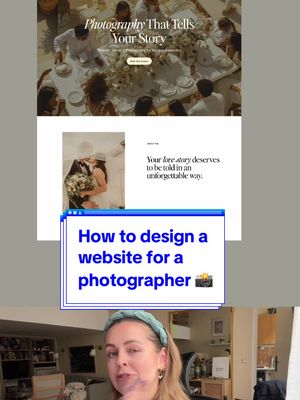
Photographer homepage design tutorial stepsfrom @pixeldesignlab

[01]

Overview

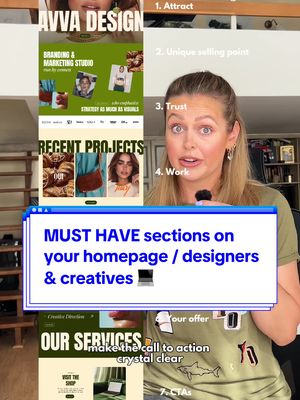
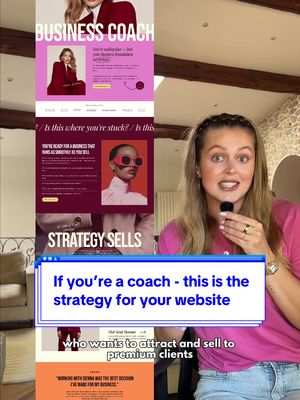
The creator provides a comprehensive, step-by-step tutorial on designing a homepage for a photographer's website. She breaks down the essential sections, starting with the hero section, moving to the 'about me' page, services offered, portfolio, social proof with testimonials, and ending with a clear call-to-action, demonstrating the design process for each section via a screen recording.

[02]

Simple outline

  1. 1Challenge common assumption
  2. 2Provide sequential best practices
  3. 3Contrast with common mistakes
  4. 4Reveal completed outcome

[03]

Related videos

[04]

Classification

Concepts
Tutorial / How ToPlaybook
Elements
Screen RecordingText Overlay

[05]

Hook analysis

What stops the scroll in the first 3 seconds

Title hook 路 35%

HOW TO DESIGN A HOMEPAGE FOR A PHOTOGRAPHER

Verbal hook 路 50%

If you're a photographer, your website needs more than just pretty pictures if you actually want to book clients.

Visual hook 路 15%

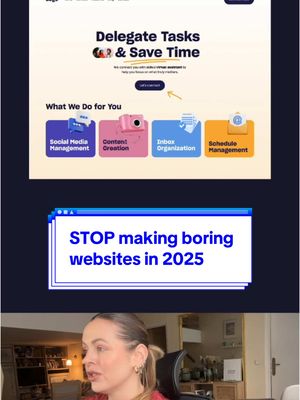
The video uses a split-screen format, immediately showing the speaker in the bottom frame and a screen recording of a design application in the top frame, signaling an instructional tutorial.

[07]

Hook and payoff

The promise the opener makes, and how the video pays it back

Hook

Directly addresses a target audience and challenges a common but flawed belief they hold about a specific task, creating an immediate need for the solution to be presented.

Payoff

Summarizes the core philosophy behind the process and reveals the final, cohesive result, validating the effectiveness of the steps provided and delivering a sense of completion.

[08]

Narrative framework

The structural pattern this video runs on

Framework

The 'Do This, Not That' Sequential Build

A step-by-step tutorial that builds a final product by sequentially addressing its components. Each step contrasts a common mistake ('Don't Do This') with an expert-recommended best practice ('Do This'), visually demonstrating the process.

  1. 1

    The First Impression Mandate

    Establishes the most critical, high-impact component first, focusing on capturing initial attention and setting the standard for quality.

  2. 2

    The Value Proposition Reframe

    Shifts the focus from self-centered description to client-centered value, teaching the audience how to communicate their benefit to the customer.

  3. 3

    The Clarity Mandate

    Instructs on how to present offerings or information in the simplest, most direct way possible to eliminate confusion and friction.

  4. 4

    The Curation Imperative

    Teaches the principle of 'quality over quantity,' showing how to showcase the best examples rather than overwhelming the audience with volume.

  5. 5

    The Trust Catalyst

    Introduces the concept of third-party validation (social proof) to build credibility and overcome audience skepticism.

  6. 6

    The Conversion Funnel

    Focuses on the final, desired action, instructing how to make it incredibly simple and obvious for the audience to take the next step.

Themes

  • marketing
  • business strategy
  • web design principles

Techniques

  • split screen
  • screen recording
  • direct address

Trends

  • educational content
  • expert advice

Post caption

If you鈥檙e a #photographer this is how you can design the homepage of your #website 馃摳馃捇 It鈥檚 a very simple, yet effective layout and you can always add more content later. #webdesigner #webdesign #photography #websitedesign #businesswebsite #designer #uxdesigner #uxdesign #uidesign #uidesigner #photographywebsite

Text overlays

  • title 路 beginning

    HOW TO DESIGN A HOMEPAGE FOR A PHOTOGRAPHER

Transcript

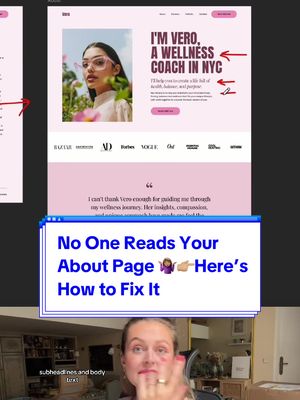
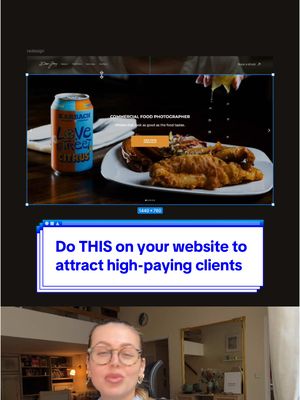
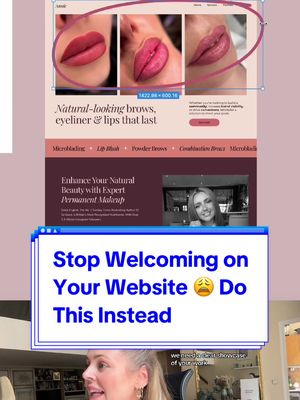
If you're a photographer, your website needs more than just pretty pictures if you actually want to book clients. So here's how to design your homepage in a very simple way. First up, the hero section. This is where you showcase your best worse. Big, bold, and right at the top. No random photos, but the best photo that defines your style and grabs attention. Then add a simple, clear headline like photography that tells your story. Keep it direct. No fluff, and don't forget to add call to action button. Best, about you. But please, no long biography about how you picked up your first camera when you were at five. No one cares. Instead, focus on how your photography makes your client feel and what makes working with you unique. This can be, by the way, flashing images or GIFs if you want to showcase more, and it gives a bit of motion to the website as well. Then you need a service section. Break down exactly what you offer. Wedding photography, portraits, street style events, whatever it is, make it crystal clear rank keep it easy to understand. I chose this very simple layout, but you can play with this section a lot. And now for the portfolio, show your best worse, not 100 random photos. Pick your absolute best shots quality over quantity. Then add social proof, testimonials from happy clients because people want to hear from those real experience, not just pretty photos. You need to build trust. And finally, call to action. Make it stupidly easy for people to book you. Use a clear call to action like good your session because no one should be ever guessing how to hire you. And that's it. Simple, clean, focused on what really matters, showing your work, and making it easy for clients to book you. You can always add more content later, blog, freebie, sections, whatever, but start simple.

Photographer homepage design tutorial steps | Viral Hooks