Viral Hooks
Trending short videosiPhone filming tutorial selling color preset
O

@omgadrian

Instagram · Talking Head Edit

@omgadrian Comment “color” and I’ll send the link right over to you 🤝🏽 Your iPhone is a cinematic filming powerhouse, you just need to treat your footage right. Today, we’re breaking that down 😌 #filmmaking #cinematography #tutorial

View original on Instagram

The edit1 shot · 4 text
Shots Text

Performance

Views
970.9K
Likes
56.9K
Comments
23.9K
Engagement
8.3%
Outlier
4.4×

Video #9515 · Talking Head Edit

iPhone filming tutorial selling color presetfrom @omgadrian

[01]

Overview

The creator starts by showcasing cinematic iPhone footage to hook the viewer, then explains the technical requirement of shooting in ProRes Log. He transitions by highlighting the difficulty of color grading raw footage, using this pain point to introduce his own custom LUT preset as a time-saving solution. The video concludes with before-and-after examples of the preset in action and a call to action to purchase via the link in bio.

[02]

Simple outline

  1. 1Showcase impossible result
  2. 2Reveal technical secret
  3. 3Amplify manual difficulty
  4. 4Pitch instant solution
  5. 5Verify with comparisons

[03]

Related videos

[04]

Classification

Concepts
Product PromoTutorial / How ToSurprise Reveal
Elements
Text OverlayScreen RecordingB-Roll Cutaway

[05]

Hook analysis

What stops the scroll in the first 3 seconds

Title hook · 25%

HOW TO GET THE BEST QUALITY

Verbal hook · 50%

I shot this on my iPhone.

Visual hook · 25%

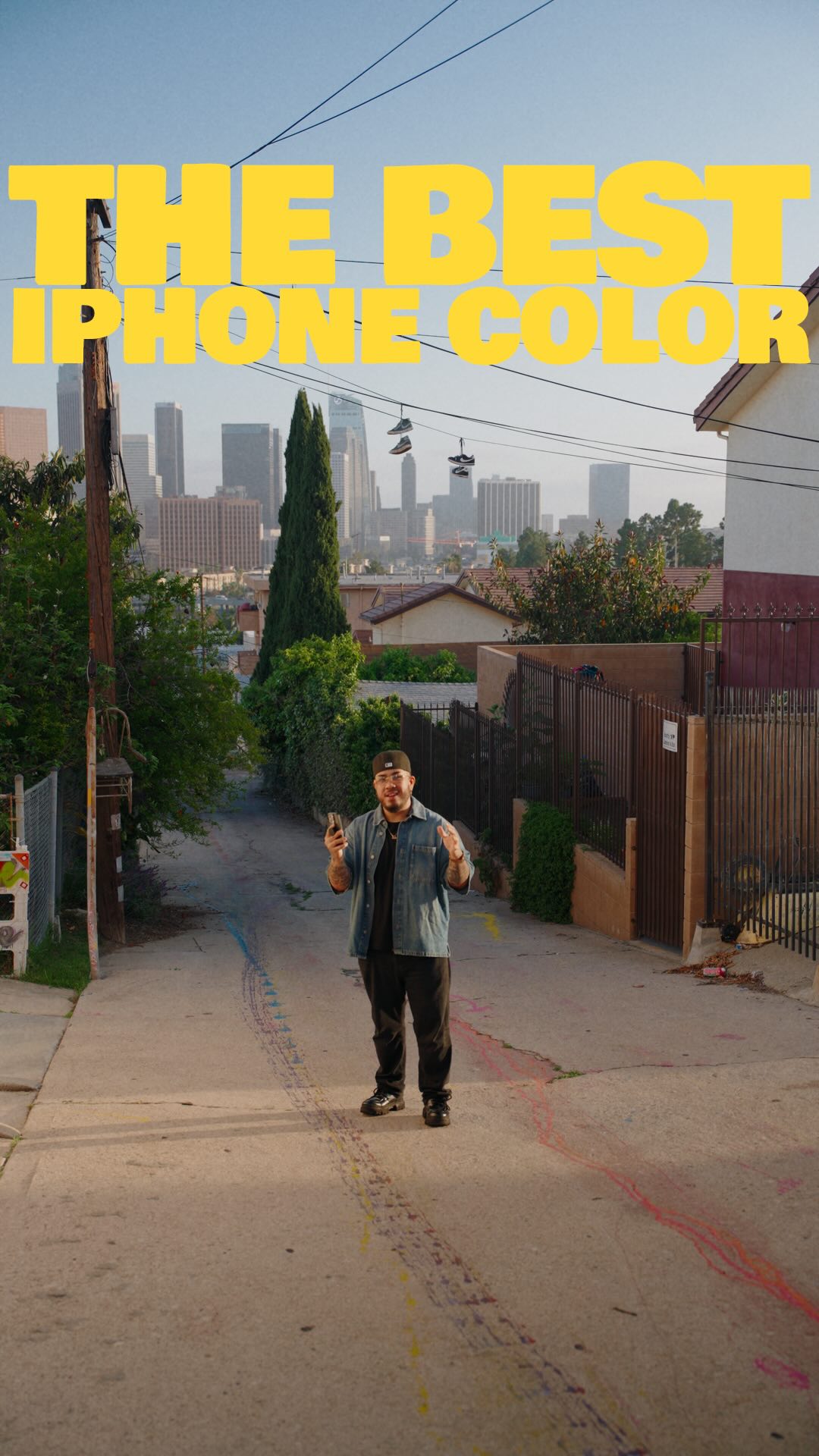
High-quality cinematic wide shot of a street with the Los Angeles skyline in the hazy background, contrasting with typical amateur phone footage.

[07]

Hook and payoff

The promise the opener makes, and how the video pays it back

Hook

The Result Anchor: Immediately displaying a high-quality end state that defies expectations for the equipment used to establish authority and desire.

Payoff

The Access Point: Direct instruction on how the viewer can acquire the proprietary solution immediately.

[08]

Narrative framework

The structural pattern this video runs on

Framework

The Expert Shortcut Funnel

Demonstrates a high-value result to establish authority, reveals the complex reality behind achieving it manually, and then positions a specific product as the instant bridge to that result.

  1. 1

    The Technical Foundation

    Identifying the specific, often hidden setting or mode required to achieve the baseline for quality.

  2. 2

    The Counter-Intuitive Dip

    Acknowledging that the correct technical step initially makes the raw output look worse (flat/murky), creating a tension gap.

  3. 3

    The Friction Amplifier

    Detailed explanation of why fixing the aesthetic gap manually is too difficult, time-consuming, or skill-intensive for the average person.

  4. 4

    The Proprietary Solution

    Revealing a custom tool or asset created by the narrator that bypasses the friction and solves the problem instantly.

  5. 5

    The Universal Proof

    A rapid-fire montage of before/after examples demonstrating that the solution works across various scenarios and skill levels.

Themes

  • Content Creation
  • Mobile Filmmaking
  • Efficiency

Techniques

  • Direct Address
  • Screen Recording
  • Before/After Comparison

Trends

  • iPhone Cinematography
  • Selling Digital Products

Post caption

Comment “color” and I’ll send the link right over to you 🤝🏽 Your iPhone is a cinematic filming powerhouse, you just need to treat your footage right. Today, we’re breaking that down 😌 #filmmaking #cinematography #tutorial

Text overlays

  • title · beginning

    HOW TO GET THE BEST QUALITY

  • informational · beginning

    ProRes LOG

  • branding · middle

    AP CLASSIC CINE LUT

  • informational · end

    W/O LUT W LUT

Transcript

I shot this on my iPhone. Looks pretty good. Right? No today, I'm gonna show y'all how to get your iPhone footage to look just as good too. First, the most important step is filming in the Pro Yes log color profile, which you can select up here. I know your footage looks murky, desaturated, no lights, but y'all are gonna have to trust me, okay? Color grading is a long tier consuming process. It takes years to learn and sometimes, even when you're good at it, hours per project. So I made it easy for you. I made this. A one click, simple, easy to use color grading preset. So that any content creator, no matter what the skill level, can achieve great cinematic color. No experience required. You can try it out now with the link in my bio and let me know what you think. As always, take care everyone. Happy creating rank I'll catch y'all next time. Peace.