Video #7814 · Speaker address
Tutorial for fixing backwards textfrom @misscarolineflett
The creator explains and demonstrates how to fix backwards or reversed text in a TikTok video. She starts by identifying the common problem of mirrored text on clothing, then walks the viewer through the process of finding and applying the 'Inverted' effect within the TikTok app via a screen recording. She concludes by showing the final, crucial step of tapping the screen to activate the flip and provides a call to action to save the tip and follow for more.
- 1State common user problem
- 2Guide through solution steps
- 3Reveal a crucial final action
- 4Demonstrate successful outcome
ConceptsTutorial / How To
ElementsScreen RecordingText OverlayFollow / Subscribe CTA
[05]
Hook analysis
What stops the scroll in the first 3 seconds
Title hook · 45%
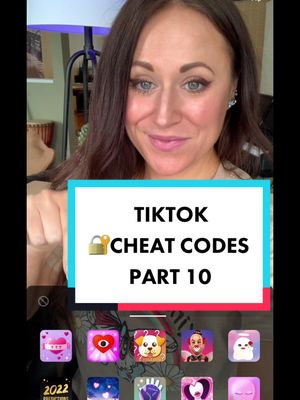
TIKTOK CHEAT CODES Part 10
Verbal hook · 40%
Here's a TikTok cheat code you might have missed.
Visual hook · 15%
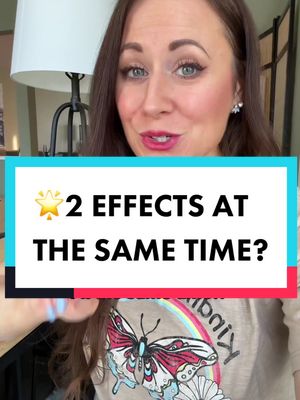
The creator smiles directly at the camera while pointing to the backwards text on her t-shirt, visually demonstrating the problem the video will solve.
[07]
Hook and payoff
The promise the opener makes, and how the video pays it back
Hook
Identifies a relatable user frustration and frames the solution as an exclusive 'cheat code' or secret, creating immediate value and intrigue.
Payoff
Provides clear, visual proof that the entire process works as promised, delivering a satisfying and useful resolution that validates the viewer's time investment.
[08]
Narrative framework
The structural pattern this video runs on
Framework
The Secret Fix
A tutorial that solves a common user problem by presenting a multi-step process, but withholds a final, non-obvious 'secret' step until the end to maximize watch time and deliver a satisfying 'aha' moment.
- 1
The Problem Statement
Clearly articulates a common, annoying issue that the target audience faces, validating their experience and establishing the video's purpose.
- 2
The Guided Path
Provides a series of clear, visually demonstrated, step-by-step instructions to begin the solution process, building user confidence.
- 3
The Mini-Cliffhanger
Pauses the tutorial just before the final step to announce that there is a crucial, non-obvious action required, re-engaging the viewer and building anticipation for the key piece of information.
- 4
The Simple Key
Reveals the final, surprisingly simple action that completes the solution, creating an 'aha' moment for the viewer.
Themes
- Problem-solving
- Education
- Creator tips
Techniques
- Screen recording
- Direct address
- Step-by-step instruction
Trends
- TikTok tutorials
- Creator education
Post caption
How to flip your TikTok video so it’s not backwards. If you have a video where the words on your T-shirt, or something in the clip of your video or reversed, and you want to flip it so people can read the words, you need the inverted filter! Simply tap the screen to reverse the image. #socialmediatips #tiktoktips #contentcreatortips #tiktoktutorial #flipyourscreen How to flip a video the other way. How to flip your TikTok video. How to fix a backwards video. how to flip your video on TikTok . Why is my TikTok video backwards? How do you flip a video? How do I reverse my screen? How do I flip my video the right way?
Text overlays
Transcript
Is the TikTok cheat code you might have missed. Filming a video where you want words on something to be the right way and not flipped around backwards? Here's how to do it. In your TikTok recording screen, tap the effects better. Then you're gonna tap the magnifying glass and search for the word inverted. Once you find the inverted effect, tap on it, and the inverted effect will be added to your TikTok video. But here's what to do next. Tap the screen once to make sure the words aren't backwards anymore best like this, and save this for later and follow for more TikTok tips.