Viral Hooks
Trending short videosHow to re-film one clip
M

@misscarolineflett

TikTok · Speaker address

@misscarolineflett 🤫But did you know this TikTok secret?! 👇@Caroline Flett | TikTok Coach Save a ton of time and headaches with this TikTok editing tip. You can re-film any TikTok clip as many times as you want. This means you don’t have to start your TikTok video from scratch if you make a mistake in the middle. #tiktokgrowthtips #Socialmediatips #contentcreatortips #tiktoktutorial #tiktoktips How to get better at TikTok. How to get better at editing on TikTok. Editing tips for TikTok. TikTok cheat codes. The best TikTok tips. TikTok shortcuts. How to save time on TikTok.

View original on TikTok

The edit1 shot · 3 text
Shots Text0:37

Performance

Views
274.6K
Likes
13.6K
Comments
200
Engagement
5%
Outlier
1.4×
Length · 20 Feb 2023
0:37

Video #7813 · Speaker address

How to re-film one clipfrom @misscarolineflett

[01]

Overview

The creator explains a common frustration for TikTok users—messing up a single clip—and then demonstrates a solution by using a screen recording to walk through the 'adjust clips' feature, showing how to select and re-film one specific clip without deleting the entire video, and concludes with a call to action to follow for more tips.

[02]

Simple outline

  1. 1State a common frustration
  2. 2Reveal a hidden solution
  3. 3Demonstrate the process
  4. 4Reinforce the benefit

[03]

Related videos

[04]

Classification

Concepts
Tutorial / How To
Elements
Screen RecordingText OverlayTitle Text HookFollow / Subscribe CTA

[05]

Hook analysis

What stops the scroll in the first 3 seconds

Title hook · 55%

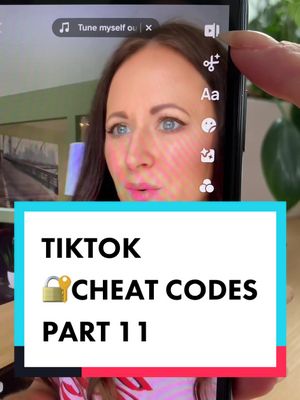
TIKTOK 🔐 CHEAT CODES Part 11

Verbal hook · 40%

This is a TikTok cheat code I wish I knew sooner.

Visual hook · 5%

A direct-to-camera shot of the creator speaking with an engaging expression, combined with a large, colorful title card overlay.

[07]

Hook and payoff

The promise the opener makes, and how the video pays it back

Hook

Frame the information as a high-value 'cheat code' or secret that the viewer wishes they knew sooner, creating immediate intrigue and a promise of insider knowledge.

Payoff

A direct call to action that frames the creator as a consistent source of valuable, problem-solving tips, encouraging a follow for future content.

[08]

Narrative framework

The structural pattern this video runs on

Framework

The Cheat Code Reveal

Identify a common user frustration and present a little-known feature as a 'secret' solution, followed by a step-by-step demonstration of how to implement it.

  1. 1

    The Universal Problem

    Articulate a highly relatable and specific pain point that the target audience frequently encounters, establishing an immediate connection and need for a solution.

  2. 2

    The Possibility Reveal

    Directly counter the viewer's assumed limitation by stating that a solution to the problem not only exists but is easily accessible.

  3. 3

    The Guided Walkthrough

    Provide a clear, step-by-step visual and verbal demonstration of the solution. This beat serves as the 'proof' and tutorial, showing the exact actions required on the user interface.

  4. 4

    The Power-Up

    Highlight an additional, powerful benefit of the solution that enhances its value and flexibility, showing it's even better than initially promised (e.g., the ability to retry multiple times).

Themes

  • Efficiency
  • Problem-solving
  • Education

Techniques

  • Screen recording
  • Direct address
  • Step-by-step guide

Trends

  • TikTok tips
  • Creator education
  • Editing hacks

Post caption

🤫But did you know this TikTok secret?! 👇@Caroline Flett | TikTok Coach Save a ton of time and headaches with this TikTok editing tip. You can re-film any TikTok clip as many times as you want. This means you don’t have to start your TikTok video from scratch if you make a mistake in the middle. #tiktokgrowthtips #Socialmediatips #contentcreatortips #tiktoktutorial #tiktoktips How to get better at TikTok. How to get better at editing on TikTok. Editing tips for TikTok. TikTok cheat codes. The best TikTok tips. TikTok shortcuts. How to save time on TikTok.

Text overlays

  • title · beginning

    TIKTOK 🔐 CHEAT CODES Part 11

  • informational · middle

    Re-film 1 clip without deleting

  • call-to-action · end

    💖💖 TIKTOK✨TIPS✨

Transcript

This is a TikTok cheat code I wish I knew sooner. When you're filming your TikTok videos, if you've ever filmed a bunch of clips and there's just one that you don't like and that you wish you could do over, you actually can. You just need to go into adjust clips. So this middle clip, I don't like. So I'm gonna expand the timeline and tap on that middle clip that I wanna actually film over. Now at the bottom, I'm gonna tap start over and I'll actually be able to refilm this clip right inside TikTok. Now I can rerecord this lip syncing line just by holding down the red button. It'll play the audio for me. And if I don't like it, I can redo this as many times as I want until I get the clip I want. Follow for more TikTok tips.

How to re-film one clip | Viral Hooks