Video #7815 · Split screen
TikTok duet tutorial step-by-stepfrom @misscarolineflett
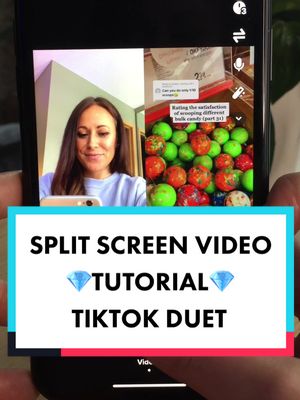
The creator explains how to make a side-by-side 'duet' video on TikTok. She starts by showing examples in a split-screen format, then transitions to a screen recording of her phone to demonstrate the step-by-step process: finding a video, tapping the share button, selecting the 'duet' option, and configuring the microphone settings before recording. She concludes by encouraging viewers to try it and follow her for more tutorials.
- 1State common user problem
- 2Show step-by-step solution
- 3Include critical technical tip
- 4Conclude with value CTA
ConceptsTutorial / How ToQ&A ResponseSplit Screen Explainer
ElementsScreen RecordingOn-screen comment hookVoiceoverText Overlay
[05]
Hook analysis
What stops the scroll in the first 3 seconds
Title hook · 35%
✨SIDE BY SIDE VIDEO✨ Tutorial
Verbal hook · 30%
How do you put yourself next to another video like this on TikTok?
Visual hook · 35%
The video opens with a dynamic split-screen layout, showing the creator on the left and a rapid montage of colorful candy videos on the right, immediately demonstrating the final effect being taught.
[07]
Hook and payoff
The promise the opener makes, and how the video pays it back
Hook
Poses a direct, relatable question that the video immediately promises to answer, establishing its utility and hooking viewers seeking a solution.
Payoff
A call to action that reinforces the creator's expertise and offers more of the same valuable, problem-solving content in exchange for a follow.
[08]
Narrative framework
The structural pattern this video runs on
Framework
The Mastery Guide
To solve a common user problem by breaking down a seemingly complex process into simple, visually-demonstrated, actionable steps, positioning the creator as a helpful expert.
- 1
The Reassurance & Definition
Names the technical term for the process and frames it as simple and achievable, lowering the viewer's intimidation and encouraging them to continue watching.
- 2
The Initial Action
Guides the user through the first concrete steps required to begin the process (e.g., finding the content, tapping the share button).
- 3
The Feature Selection
Instructs on the key decision or button press within the interface that activates the main feature, often including a quick check to ensure it's available.
- 4
The Expert Tweak
Provides a non-obvious but critical technical tip (e.g., unmuting the mic, turning down phone volume) that prevents common errors and enhances the final result.
- 5
The Creative Execution
Instructs the user on the final action to complete the process and achieve the desired outcome (i.e., recording the video).
Themes
- Education
- Content Creation
- Social Media Growth
Techniques
- Screen Recording
- Voiceover
- Direct Address
Trends
Post caption
TikTok 30 Day Growth Course. @Caroline Flett | TikTok Coach How to do a side by side video on TikTok. If you’ve been wondering “how do I do a split screen video on TikTok?” Or “how do you do a duet on TikTok?” I got you covered! In this tutorial, I’m going to show you how to do a split screen video, also called a duet. Duets are a great way to put yourself next to other popular content on TikTok and get in front of your ideal audience. Duets are also great for a quick content ideas. #ti#tiktoktutorialso#contentcreatortipsp#splitscreenti#tiktokgrowthtips
Text overlays
title · beginning
✨SIDE BY SIDE VIDEO✨
Tutorial
contextual · beginning
Reply to bridget... Can you do only 1/10 scoops 🤔
informational · middle
Unmute to speak during the video
Transcript
How do you put yourself next to another video like this on TikTok? This is called a duet and it's actually really easy to do. First, find the video you wanna duet, then tap share. It should be the arrow or the three dots on the bottom right hand menu. Once you tap share, a menu will come up and you're gonna wanna tap on duet. Since it's not grayed out, that means the creator is allowed for a duet. Now that you're in the recording screen, tap the microphone button to unmute yourself if you wanna be heard, and turn your phone volume all the way down. Now record your duet in as many clips as you like, and consider following for more TikTok tutorials.