Viral Hooks
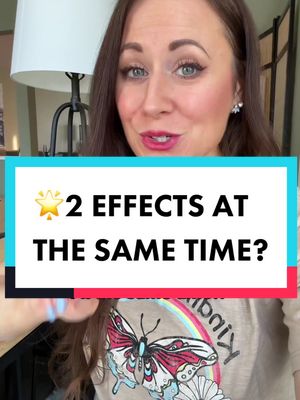
Trending short videosTutorial for using two effects
M

@misscarolineflett

TikTok · Speaker address

@misscarolineflett But this TikTok sectet is even better👉👇@Caroline Flett | TikTok Coach if you’ve been trying to figure out how to use more than one TikTok effect at a time, this is a great tip! Start editing in an app like CapCut, and you’ll be able to easily add tons more features and effects to your videos. ##tiktoktipsforsuccess##tiktokgrowthtips##contentcreatortips##tiktokstrategy How to add more than one TikTok effect. How to add two effects at the same time. Add two TikTok effects at the same time. Use two TikTok filters at the same time.

View original on TikTok

The edit1 shot · 6 text
Shots Text1:02

Performance

Views
607.6K
Likes
10.6K
Comments
111
Engagement
1.8%
Outlier
3.1×
Length · 26 Feb 2023
1:02

Video #7812 · Speaker address

Tutorial for using two effectsfrom @misscarolineflett

[01]

Overview

The creator explains and demonstrates how to use the free app CapCut to apply two effects to a video simultaneously. She first shows how to use the 'mirror' effect to flip a clip, and then demonstrates how to add a 'retouch' effect like smooth skin to the same clip, concluding with a tip on how to apply the effect to all clips at once.

[02]

Simple outline

  1. 1State common user problem
  2. 2Demonstrate multi-step solution
  3. 3Reveal efficiency shortcut
  4. 4Ask for reciprocal engagement

[03]

Related videos

[04]

Classification

Concepts
Tutorial / How To
Elements
Screen RecordingText OverlayFollow / Subscribe CTA

[05]

Hook analysis

What stops the scroll in the first 3 seconds

Title hook · 55%

TikTok Secrets ✨ 2 EFFECTS ✨ At the same time?!

Verbal hook · 40%

How do you use two effects at the same time on your video?

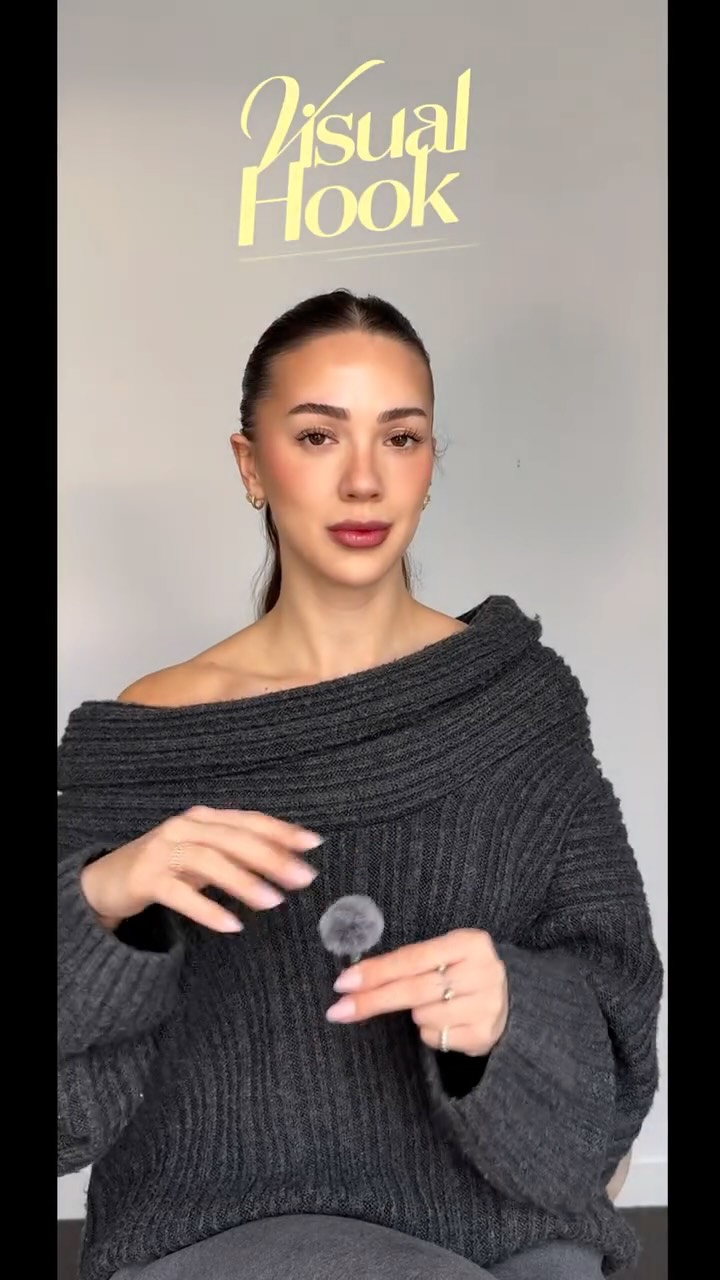
Visual hook · 5%

A creator speaks directly to the camera with an engaging expression, framed by multiple, prominent text overlays that immediately state the video's value proposition.

[07]

Hook and payoff

The promise the opener makes, and how the video pays it back

Hook

Poses a direct, relatable 'how-to' question that creates an immediate knowledge gap and promises a solution to a common frustration.

Payoff

A direct call to action that frames engagement (likes, follows) as a fair exchange for the valuable information just provided.

[08]

Narrative framework

The structural pattern this video runs on

Framework

The Secret Hack Tutorial

A step-by-step tutorial that solves a common user problem by revealing a 'secret' method, often using a third-party tool, and then adds a bonus efficiency tip to maximize value.

  1. 1

    The Prerequisite Reveal

    Establishes the necessary tool or setup required to execute the technique, positioning it as the key to unlocking the secret.

  2. 2

    The First Layer Application

    Provides a clear, screen-recorded demonstration of the first major step in the process, resulting in a tangible, visible change that proves the method works.

  3. 3

    The Second Layer Application

    Guides the viewer through applying the second, often more complex or nuanced, part of the technique, completing the core promise of the hook.

  4. 4

    The Efficiency Multiplier

    Delivers a bonus tip or shortcut that makes the demonstrated process faster or more effective, over-delivering on value and creating a feeling of receiving insider knowledge.

Themes

  • Education
  • Content Creation
  • Social Media Growth

Techniques

  • Screen Recording
  • Direct-to-camera
  • Text Overlay

Trends

  • TikTok tutorials
  • CapCut editing hacks

Post caption

But this TikTok sectet is even better👉👇@Caroline Flett | TikTok Coach if you’ve been trying to figure out how to use more than one TikTok effect at a time, this is a great tip! Start editing in an app like CapCut, and you’ll be able to easily add tons more features and effects to your videos. ##tiktoktipsforsuccess##tiktokgrowthtips##contentcreatortips##tiktokstrategy How to add more than one TikTok effect. How to add two effects at the same time. Add two TikTok effects at the same time. Use two TikTok filters at the same time.

Text overlays

  • title · beginning

    TikTok Secrets 🤫

  • title · beginning

    ✨ 2 EFFECTS ✨

  • title · beginning

    At the same time?!

  • contextual · middle

    Smooth skin 🤫 + Mirror ✨

  • contextual · end

    💕💕

  • call-to-action · end

    ✨ TikTok Secrets ✨ 👉

Transcript

How do you use two effects at the same time on your video, like, let's say, the smooth skin effect and the mirror effect? It's pretty simple. Let's do it. First, you will need the free app CapCut, and you can either record right inside the app with the camera icon or just upload your video. Tier, I'm just tapping my draft to get into the recording screen, which looks just like TikTok. Then you're gonna tap on the clip that you want to flip or mirror and then tap edit. On the left hand side, you're gonna hit the mirror better, and it will flip this clip to the other way around. So you can read the words now on my shirt. Now I'm gonna select the clip I want to add the second effect to, then scroll through the menu options at the bottom until you hit retouch. And this is where I'm gonna add the smooth skin effect. Now I'm gonna tap on face, and I can choose to use any of the effects that will smooth my skin, whiten my teeth, or even lessen dark circles. And when you're happy with your changes, you can hit the check mark or you can actually hit the apply all better, and this will save you a ton of time applying your effects to all clips. So do me a favor and double tap if this is helpful and follow for more TikTok tips.

Tutorial for using two effects | Viral Hooks