Viral Hooks
Trending short videosStep-by-step app feature guide
P

@panosliceapp

TikTok · Screen Recording
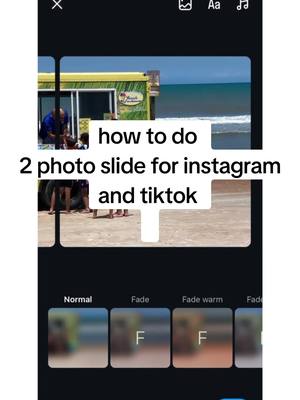
@panosliceapp how to make 2 photo slide seamlessly on tiktok ❤️ save for later easy tutorial, share this with a friend 1. get the panoslice app for android or iPhone 2. create a free project and upload your photo 3. reduce slide to 2 4. preview the post by clicking the eye button 5. click on save if it looks good or go back and continue editing 6. once you save it the app will automatically crop your images in 2 slide 7. upload to instagram or tiktok follow for more tips #trending #fyp #disenografico #collageapp #instagramcarousel #photoswipe #carouselpost #panoslice #slideshowtrend #2phototrend #2photoslides
View original on TikTok

The edit1 shot · 7 text
Shots Text0:20

Performance

Views
251K
Likes
1.8K
Comments
21
Engagement
0.7%
Outlier
42.9×
Length · 7 Aug 2024
0:20

Video #8754 · Screen Recording

Step-by-step app feature guidefrom @panosliceapp

[01]

Overview

The creator provides a screen-recorded tutorial on how to use the Panoslice mobile app. They demonstrate the entire process of creating a seamless two-photo slide, starting from showing the app in the app store, creating a new project, adjusting the number of slides, adding and resizing an image, previewing the result, and finally saving the two cropped images to the user's gallery for easy uploading to Instagram or TikTok.

[02]

Simple outline

  1. 1Present desired outcome
  2. 2Introduce required tool
  3. 3Demonstrate configuration steps
  4. 4Show final automated result

[03]

Related videos

[04]

Classification

Concepts
Tutorial / How To
Elements
Screen RecordingText OverlayAnnotation OverlayTrending Audio
Account

[05]

Hook analysis

What stops the scroll in the first 3 seconds

Title hook · 70%

how to do 2 photo slide for instagram and tiktok

Visual hook · 30%

An example of the final product: a seamless, swiping photo carousel of a yellow truck on a beach, demonstrating the effect the viewer will learn to create.

[06]

Hook template

Steal this for your own video

How to do [platform feature] for [platform name]

  • — How to do a seamless photo carousel for Instagram and TikTok
  • — How to do a pinned comment strategy for YouTube and Facebook
  • — How to do a split-screen duet for TikTok and Reels

[07]

Hook and payoff

The promise the opener makes, and how the video pays it back

Hook

Visually showcase the impressive final result (the seamless photo slide) while simultaneously stating the problem it solves as a text overlay, immediately establishing value and relevance.

Payoff

Triggers the final action (saving) which results in the tool automatically completing the complex part of the process (cropping), delivering the finished product with a clear confirmation message that signifies success.

[08]

Narrative framework

The structural pattern this video runs on

Framework

The Automated Solution Tutorial

To demonstrate a simple, step-by-step process using a specific tool to achieve a desirable, automated outcome, creating a high-value, low-effort perception for the viewer.

  1. 1

    The Essential Tool

    Explicitly names and shows how to acquire the specific tool (the app) needed for the solution, removing ambiguity and lowering the barrier to entry by highlighting its availability and cost (free).

  2. 2

    The Initial Setup

    Guides the user through the first necessary actions within the tool to begin the process, such as creating a new project, making the task feel manageable.

  3. 3

    The Critical Adjustment

    Highlights the single most important setting or configuration change required to achieve the specific desired effect (reducing slides to 2), focusing the viewer's attention on the key step.

  4. 4

    The Content Integration

    Shows the user how to integrate their own material (the photo) into the configured tool and adjust it to fit, making the process personal and relatable.

  5. 5

    The Verification Point

    Demonstrates a built-in preview function that allows the user to confirm the result before finalizing, building confidence and reducing the fear of making a mistake.

Themes

  • social media trends
  • content creation
  • mobile apps

Techniques

  • screen recording
  • text overlay
  • graphic annotation

Trends

  • seamless carousel posts

Post caption

how to make 2 photo slide seamlessly on tiktok ❤️ save for later easy tutorial, share this with a friend 1. get the panoslice app for android or iPhone 2. create a free project and upload your photo 3. reduce slide to 2 4. preview the post by clicking the eye button 5. click on save if it looks good or go back and continue editing 6. once you save it the app will automatically crop your images in 2 slide 7. upload to instagram or tiktok follow for more tips #trending #fyp #disenografico #collageapp #instagramcarousel #photoswipe #carouselpost #panoslice #slideshowtrend #2phototrend #2photoslides

Text overlays

  • title · beginning

    how to do 2 photo slide for instagram and tiktok

  • informational · beginning

    get the free panoslice app for android and ios

  • informational · middle

    create a free project

  • contextual · middle

    here

  • informational · middle

    reduce the slides to 2, you can create upto 10 slides

  • informational · middle

    next add your image and resize it to full, click eye button when done

  • informational · end

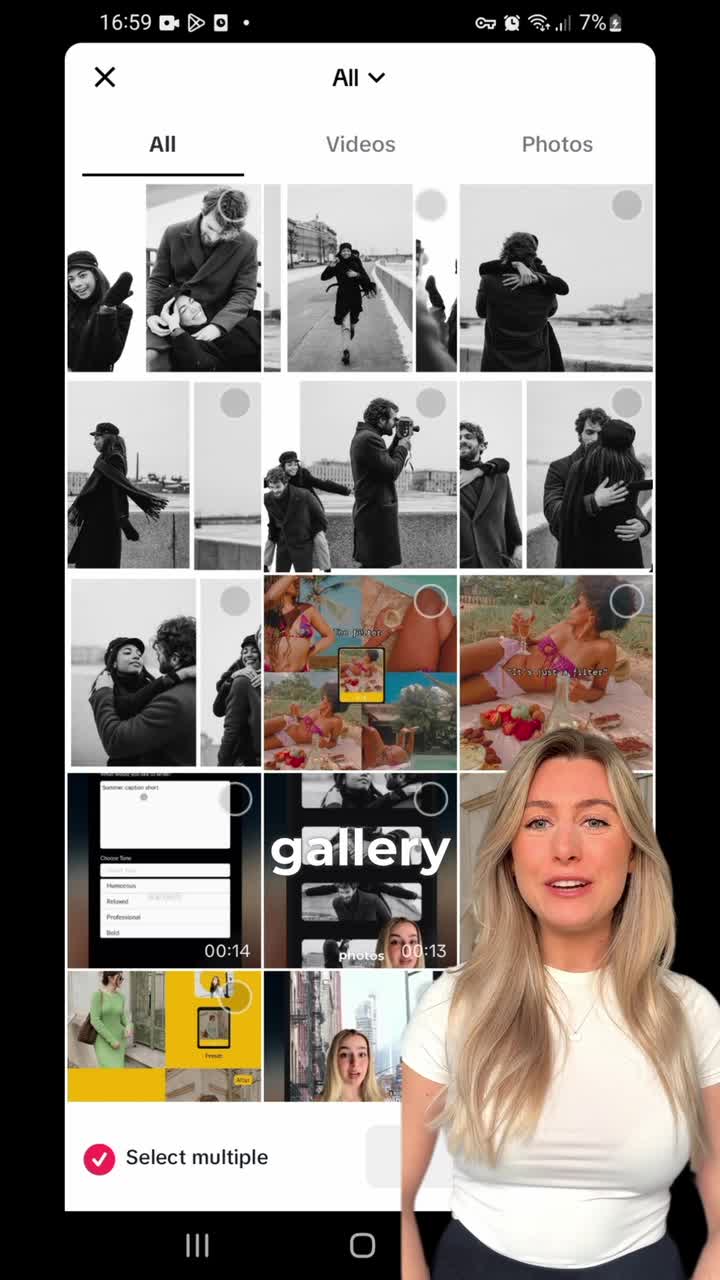
    now save your post, the app will automatically crop it in 2 so you can upload easily

Step-by-step app feature guide | Viral Hooks