Video #5341 · Split screen
Redesigning a website for scannabilityfrom @pixeldesignlab
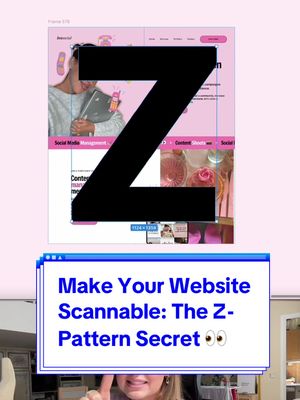
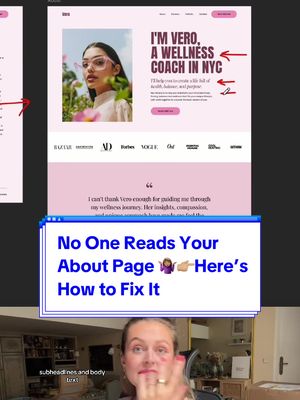
The creator explains that people scan websites instead of reading them and demonstrates how to improve a text-heavy design. She critiques a 'before' version, then walks through her redesign process, creating a clear hero section, adding a running text bar, and structuring content to follow the Z-pattern of eye movement. She concludes by showing the 'before' and 'after' designs side-by-side to highlight the improved scannability and user experience.
- 1State universal user behavior
- 2Demonstrate a strategic fix
- 3Justify with a core principle
- 4Reveal the final transformation
ConceptsTutorial / How ToBefore/After Transformation
ElementsScreen RecordingText OverlayPicture-in-PictureGraphic Overlay
[05]
Hook analysis
What stops the scroll in the first 3 seconds
Title hook · 55%
Make Your Website Scannable 👀
Verbal hook · 35%
People don't read nowadays.
Visual hook · 10%
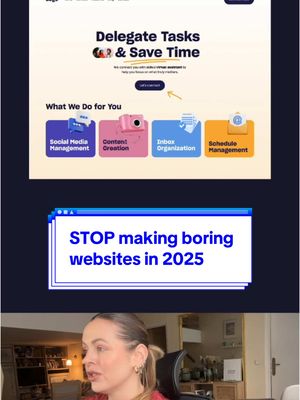
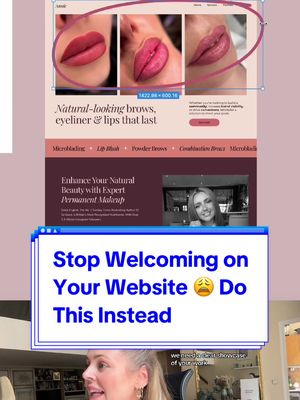
A split-screen view showing a speaker in the bottom frame and a website design mockup in the top frame, creating a dynamic layout for an educational video.
[07]
Hook and payoff
The promise the opener makes, and how the video pays it back
Hook
A bold, relatable declaration about modern user behavior that establishes a common problem and frames the creator as an authority.
Payoff
A personal endorsement of the final result, which acts as social proof and validates the success of the transformation, leaving the viewer with a sense of completion and trust in the creator's skill.
[08]
Narrative framework
The structural pattern this video runs on
Framework
The Expert Redesign Framework
To demonstrate expertise by identifying a common problem, executing a step-by-step solution, and justifying the changes with an underlying expert principle, culminating in a satisfying before-and-after transformation.
- 1
The Problem Visualization
Visually isolating the specific flaw in a 'before' example, making an abstract problem tangible and setting the stage for the solution.
- 2
The Strategic Deconstruction
Breaking down the complex problem into a manageable first step, demonstrating a clear, logical approach to the solution.
- 3
The First Implementation
Executing the first part of the solution and explaining its functional benefit to the user, providing immediate value.
- 4
The Principle Reveal
Justifying the next design choice by revealing a named, underlying psychological or technical principle (e.g., 'the Z pattern'), which elevates the advice from opinion to expert knowledge.
- 5
The Strategic Synthesis
Connecting the individual changes back to the overarching goal (e.g., 'create a storytelling'), reinforcing the initial problem statement and showing a cohesive strategy.
- 6
The Transformation Payoff
Presenting the final 'Before' and 'After' comparison, providing a clear visual payoff and demonstrating the effectiveness of the applied principles.
Themes
- User experience
- Visual hierarchy
- Digital marketing
- Attention economy
Techniques
- Screen recording
- Picture-in-picture
- Graphic overlay
Trends
- Short-form educational content
- Design critique
Post caption
Nobody reads your website, everyone just scans nowadays 👀🤷🏽♀️ This is how you can structure big chunks of texts so it’s engaging, interesting and people don’t skip the content. #webdesigner #webdesign #website #websitedesign #uxdesigner #uxdesign #design #designer #designtips #websites #redesign #webdesigntips
Text overlays
Transcript
People don't read nowadays. They only scan with their eyes. So what can we do to make this chunk of text easier for people to read and scan and understand what is actually going on? So we will divide it visually into two sections, and this one is called a hero section. We explain who you are, what you do, and how can you help in a clear and engaging way. I edit this section better those two sections. It's gonna be a running text on a website. And so now we continue with text on the left side because that's where our eyes naturally land. We naturally read in the z pattern from left to right. We need to create a storytelling so people can just scan. They don't spend a lot of energy. Remember, we are lazy, and we read in that z pattern. I must say, I would be intrigued to work with you if I see this website.