Viral Hooks
Trending short videosExplaining website redesign process
P

@pixeldesignlab

TikTok · Split screen

@pixeldesignlab This is how you can change your website from average to premium ✨💻 This is one of my absolutely favorite projects I’ve been working on 🥹🎀 It’s so much easier to create websites that match your personal style 😄💕 #webdesign #webdesigner #website #websitedesign #websitedesigner #redesign #uxdesign #uxdesigner #SmallBusiness #websitetutorial #businesswebsite @Giulia Chilin

View original on TikTok

The edit1 shot · 5 text
Shots Text0:53

Performance

Views
52.7K
Likes
2.7K
Comments
38
Engagement
5.3%
Length · 22 Jan 2025
0:53

Video #5380 · Split screen

Explaining website redesign processfrom @pixeldesignlab

[01]

Overview

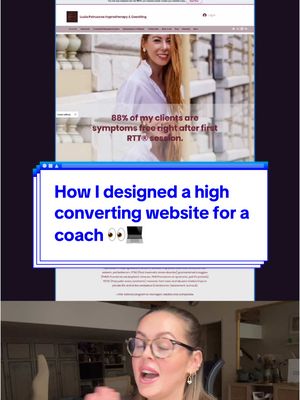
The creator presents a case study of a website redesign for a client named Giulia. She first shows the outdated 'before' website, diagnoses its problems with text overlays, and then walks through the redesign process, which includes establishing a new brand identity, defining strategy and goals, creating wireframes, and planning the user journey, all while showing a screen recording of the new site being built. She concludes by emphasizing that a website should be a powerful, strategic tool, not just a pretty design.

[02]

Simple outline

  1. 1Present relatable 'before' state
  2. 2Reveal the strategic foundation
  3. 3Showcase the transformation process
  4. 4Deliver the core philosophy

[03]

Related videos

[04]

Classification

Concepts
Before/After TransformationBreakdown
Elements
Screen RecordingText Overlay

[05]

Hook analysis

What stops the scroll in the first 3 seconds

Verbal hook · 45%

Juliet is a very successful digital entrepreneur, and she best that her old website was outdated and did not reflect what she wanted her audience to feel when they land on it.

Visual hook · 55%

A split-screen layout showing a speaker on the bottom and a website screenshot on top. A red line is immediately drawn across the website, visually indicating a problem or cancellation.

[06]

Hook template

Steal this for your own video

Split screen: you on the [screen position] talking to camera, a screenshot of [flawed 'before' asset] on the [opposite screen position], and a [bold marking color] line slashes across the asset in the first second to mark it as the problem.

  • — Split screen: you on the bottom talking to camera, a screenshot of a client's cluttered 2015-era website on top, and a red line slashes across it in the first second to mark it as the problem.
  • — Split screen: you on the left talking to camera, a photo of your messy, overstuffed pantry on the right, and a bright yellow X is drawn across it in the first second to mark it as the problem before your kitchen organization makeover.
  • — Split screen: you on the bottom talking to camera, a screen recording of a confusing budgeting spreadsheet on top, and a red line slashes across it in the first second to mark it as the problem before you reveal your simpler money-tracking system.

[07]

Hook and payoff

The promise the opener makes, and how the video pays it back

Hook

Visually present a flawed 'before' state, using text overlays to label its specific deficiencies, which establishes a relatable problem and creates an immediate desire for a solution.

Payoff

Deliver a concise, memorable manifesto that reframes the viewer's perspective on the topic, transforming the specific case study into a universal and actionable lesson.

[08]

Narrative framework

The structural pattern this video runs on

Framework

The Strategic Transformation Blueprint

Demonstrating the value of a strategy-first approach by showcasing a 'before and after' transformation process, moving from a relatable problem to an aspirational, well-reasoned solution.

  1. 1

    The Problem Diagnosis

    Articulate the subject's core problem and the negative emotional or business impact it causes, framing the urgent need for change.

  2. 2

    The Foundational Pivot

    Introduce a counter-intuitive first step: solving a deeper, strategic problem (e.g., brand identity) before addressing the visible, surface-level issue (e.g., design).

  3. 3

    The Strategy Deconstruction

    Break down the essential components of the foundational strategy, providing a checklist of critical considerations that establishes expertise and offers educational value.

  4. 4

    The Process Visualization

    Show a time-lapsed or sped-up walkthrough of the tangible execution process, connecting the abstract strategy to concrete actions and building momentum towards the final result.

  5. 5

    The Guiding Principle

    State the single most important objective or user-centric goal that drives all execution decisions, clarifying the 'why' behind the work and its intended outcome.

Themes

  • Brand Strategy
  • Professionalism
  • Value Proposition

Techniques

  • Split Screen
  • Screen Recording
  • Case Study

Trends

  • Behind The Scenes Process

Post caption

This is how you can change your website from average to premium ✨💻 This is one of my absolutely favorite projects I’ve been working on 🥹🎀 It’s so much easier to create websites that match your personal style 😄💕 #webdesign #webdesigner #website #websitedesign #websitedesigner #redesign #uxdesign #uxdesigner #SmallBusiness #websitetutorial #businesswebsite @Giulia Chilin

Text overlays

  • contextual · beginning

    Outdated

  • contextual · beginning

    Doesn't speak to her audience

  • contextual · beginning

    Evokes no feeling

  • contextual · beginning

    Lifeless

  • branding · middle

    Giulia Chilin

Transcript

Juliet is a very successful digital entrepreneur, and she best that her old website was outdated and did not reflect what she wanted her audience to feel when they land on it. Before we even started the website, we did a completely new brand identity. That's for another video. But it's important to first know who is the target audience, what's the strategy, the main business goals, purpose, values with a consistent visual identity in place. Rest becomes much smoother. And so from there, it was a breeze. We started with website wireframe to set up the strategy, how the content will be placed, and what the user journey will look like. The goal is to avoid confusion and guide users exactly where we want them to go. Book a service, sign up for a webinar, fill out the contact form, etcetera. It needs to be very clear what action we want the user to take. Your website shouldn't be just pretty. It's a powerful tool, not just a better. So think about it.