Video #49866 · Talking Head Edit
Tutorial for animating paintings with AIfrom @byrvm_contentcreation
The creator demonstrates a step-by-step process for turning static paintings into cinematic videos using the Filmora mobile app. He starts by showing example animations, explains how to find an image and plan the camera movement, then walks through the app's interface, showing how to upload the image, use a specific text prompt, and generate the final animated video.
- 1Present aspirational goal
- 2Demonstrate step-by-step process
- 3Reveal the key shortcut
- 4Showcase successful result
ConceptsTutorial / How ToProduct DemoValue Vlog
ElementsScreen RecordingText OverlayB-Roll CutawayIn-Scene Media PlaybackJump CutGraphic OverlayVoiceoverTitle Text Hook
[05]
Hook analysis
What stops the scroll in the first 3 seconds
Title hook
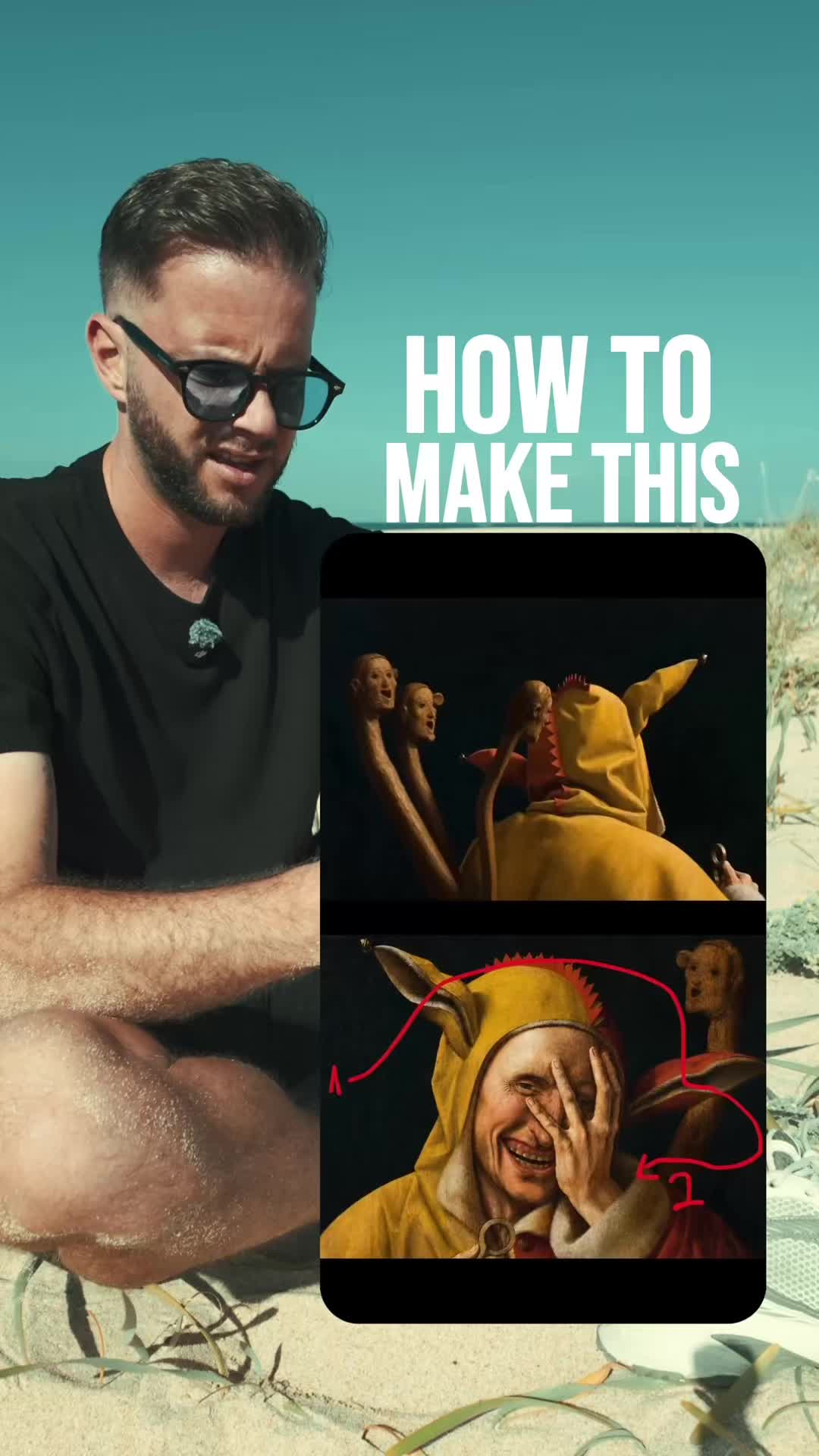
HOW TO MAKE THIS
Verbal hook
Wait. What?
Visual hook
A split-screen view of an animated painting, with the creator reacting to it in the main frame.
[07]
Hook and payoff
The promise the opener makes, and how the video pays it back
Hook
The creator presents a visually stunning piece of content, expresses confusion or awe ('Wait. What?'), and then immediately pivots to a promise of deconstruction ('I think I've got an idea how to recreate this'), creating a strong curiosity gap.
Payoff
The final, impressive result is shown, fulfilling the promise made in the hook and proving the effectiveness of the taught method. This provides a satisfying resolution and inspires the viewer to try it themselves.
[08]
Narrative framework
The structural pattern this video runs on
Framework
The Secret Sauce Tutorial
Presenting a desirable, seemingly complex outcome, then breaking it down into a simple, step-by-step tutorial that hinges on a single 'secret' piece of information or tool which is offered as an engagement incentive.
- 1
The Asset Gathering
The first required step is presented: acquiring the raw materials or assets needed for the project. This is a simple, low-friction entry point for the viewer.
- 2
The Manual Blueprint
A crucial, non-obvious preparatory step is demonstrated that happens outside the main tool. This adds a layer of 'insider knowledge' and frames the process.
- 3
The Tool & Feature Selection
The specific software and the key feature within it are explicitly identified, guiding the user to the exact starting point of the technical process.
- 4
The Secret Ingredient Reveal
The creator provides the 'magic' element (a specific prompt or setting) that makes the complex result possible, often embedding a call-to-action to acquire it.
- 5
The Customization & Settings
The creator shows how to fine-tune the process with final settings, demonstrating flexibility and giving the user a sense of control over their own outcome.
Themes
- AI in creativity
- Content creation tools
- Art history
Techniques
- Screen recording
- AI video generation
- Mobile video editing
Trends
- AI content creation
- Animating static images
Post caption
Comment PAINTING and I’ll send you the exact prompt. 🎨👇
It’s crazy how a single painting can turn into a cinematic camera move like this.
All you have to do is pick your favorite artwork, draw the camera path directly on the image, and upload it into Filmora using Omni Image to Video.
Paste in the prompt, adjust it for your painting if needed, choose your duration and aspect ratio, and let Omni generate the movement for you.
The result feels like the camera is flying through a masterpiece. 🎬
Use the link in my bio to try it yourself.
@Filmora Video Editor #Filmora #art #Omni
Text overlays
title · beginning
HOW TO MAKE THIS
contextual · beginning
wait
contextual · beginning
what
informational · middle
first
informational · middle
images
informational · middle
paintings
informational · middle
your phone
informational · middle
direction
informational · middle
open app
informational · middle
select image to video
call-to-action · middle
COMMENT PAINTING
Transcript
Wait. What? I think I've got idea how to recreate this. Worst, find some images of famous paintings like these. Next, open your painting on your phone and draw the camera direction you want for this paint. Place a one for your starting point and a two for your end point. Once done, open the Filmora app on your phone. Select image to video and down here select Omni. Once done, upload your reference image up here. Then comment painting and copy and paste this exact prompt. If you're using a different painting, simply adjust these parts of the prompt. And once done, set the duration to six or eight seconds and select your preferred aspect ratio. Hit generate and you will get videos like these.